If you want to get faster in rally sim racing, then the answer is right in front of your face: it’s data. Tracking your telemetry is like a lie detector for your driving. It shows you exactly where you are losing time and also how to fix it. Let’s look at some of the best telemetry tools to eliminate your guesswork and help you get real speed.
What’s Telemetry Anyway?
Telemetry is a term for a racing simulator that records data while you are driving. It records your speed, braking, how hard you press on the gas, and even tire temperature. It is akin to having a coach who sees everything you do and is honest about your shortcomings.
“But I just want to drive!” I understand, and the great thing is you can set up basic telemetry in under five minutes, and just check it after every race.
Getting Started: PC vs. Console
If you’ve got a PC, things are great! Most PC simulations write their data directly to your PC’s memory, and the tools can read it even without any workarounds.
And if you are playing on the console, you do not need to worry. In games like F1 and Forza, data can be sent over your network, so just enable UDP in your game settings and direct it to a laptop or tablet on the same WiFi.
Must-Have Tools for Rally Sim Racers
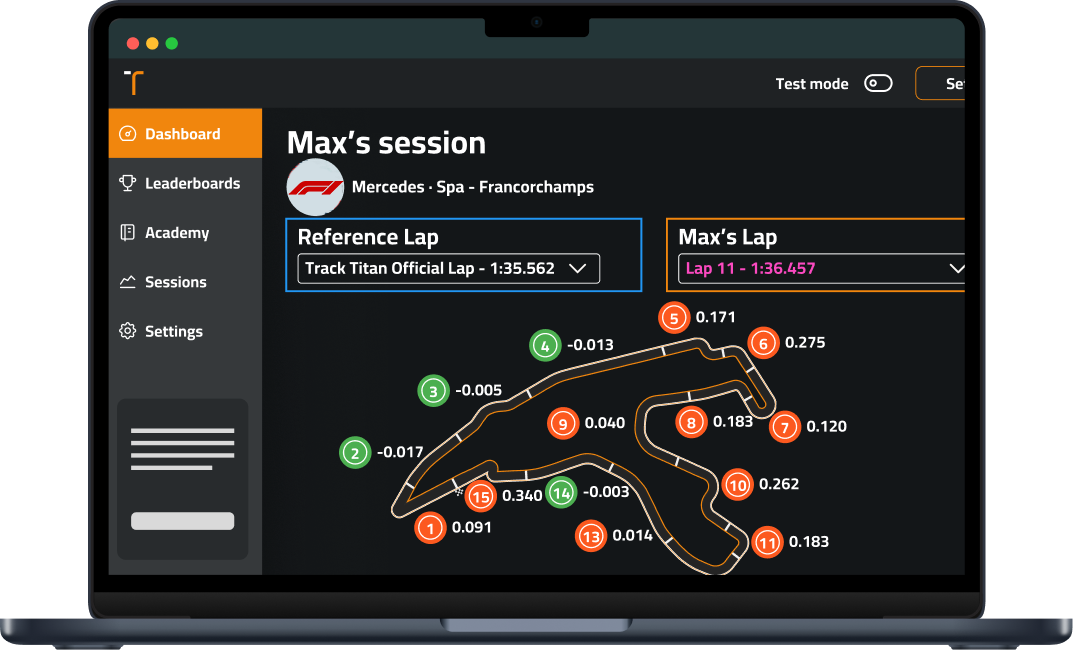
These tools will give you the biggest bang for your buck in rally games:
- Track Titan– It is great for beginners with AI that spots your mistakes
- SimHub- It works with consoles too and shows live data as you drive
- MoTeC i2- The pro choice if you want depth (but has a steep learning curve)
- SRT- Perfect for checking data on your phone or tablet after a stage
For rally-specific sims like EA WRC, turn on UDP telemetry in settings and connect it to SimHub for a quick start.
What to Look For in Your Data
You don’t have to get lost in the numbers! Just focus on these key things:
- Braking points – Are you braking too early and wasting time?
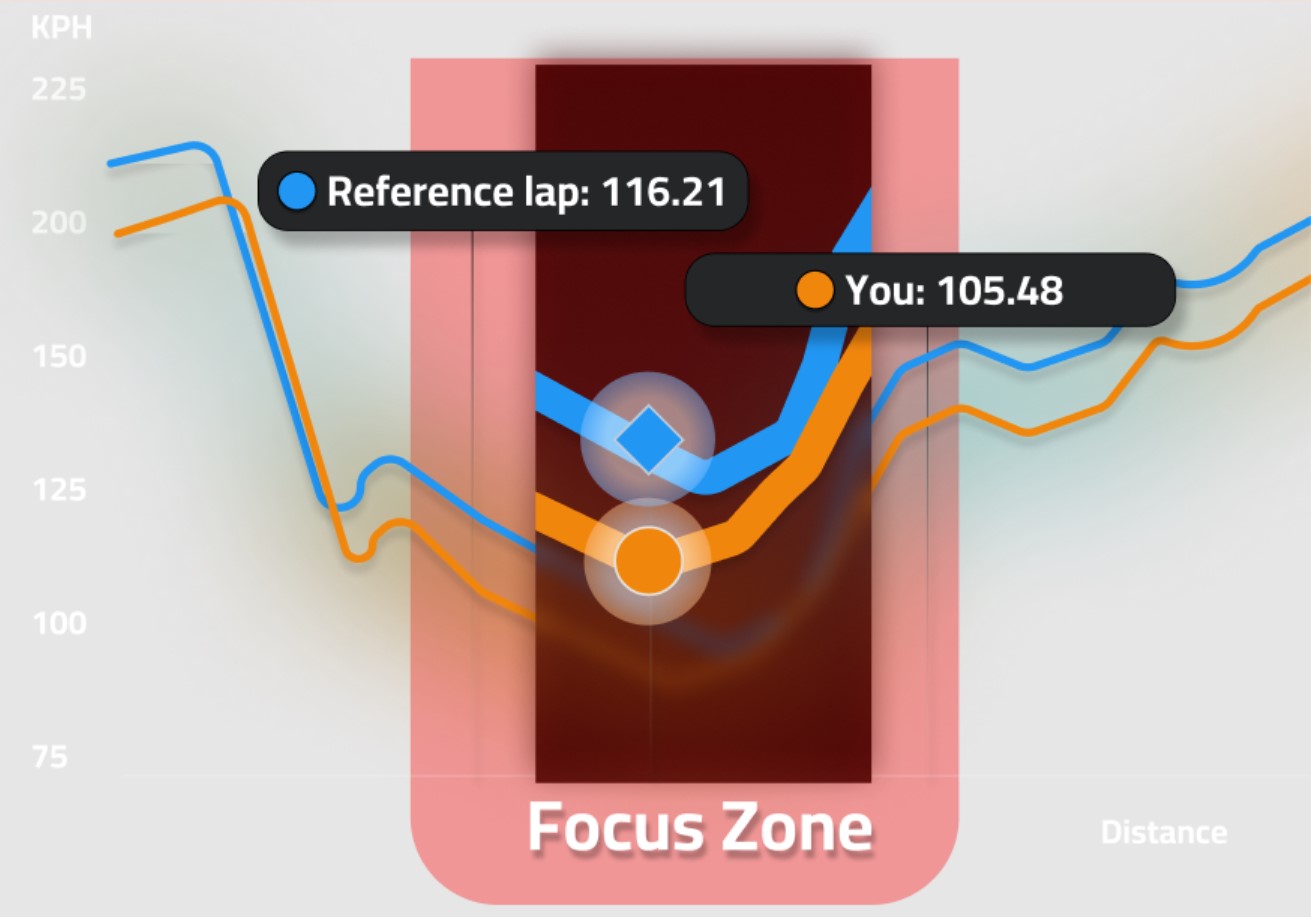
- Throttle trace – See a zigzag pattern? You’re fighting for grip and losing speed
- Minimum corner speed – Often, the biggest difference between fast and slow drivers
- Coasting – Those flat sections between brake and gas are usually time wasters
In rally sims, pay extra attention to weight transfer. Your telemetry should show smooth transitions between brake and throttle through corners.
Simple 5-Minute Review Routine
After a rally stage:
- Check where you lost the most time using sector times
- Look at your brake and throttle inputs in that section
- Compare with a faster reference lap
- Pick ONE thing to change next time
- Run the stage again to test your fix
Don’t try to fix everything at once! Baby steps create lasting improvement.
Avoid These Common Mistakes
Many rally sim racers mess up with telemetry by:
- Getting distracted by data while driving. You need to save it for between stages!
- Trying to match pro traces exactly. Instead. Focus on patterns and not perfect copies
- Comparing runs with different conditions because wet vs dry data tells you nothing useful
Getting Better Fast
Set up a simple dashboard with just three things: And they are current lap delta, basic tire temps, and a mini map. This gives you enough info without becoming a distraction.
Finding the edge of grip is an important skill in sim rally racing, and with the right tools, you can see that edge before falling off it. Start off with basic tools, and focus on one improvement at a time to see your stage times drop!
For the best results, use telemetry to study your mistakes, but don’t forget the most important part: having fun slinging dirt around those corners.