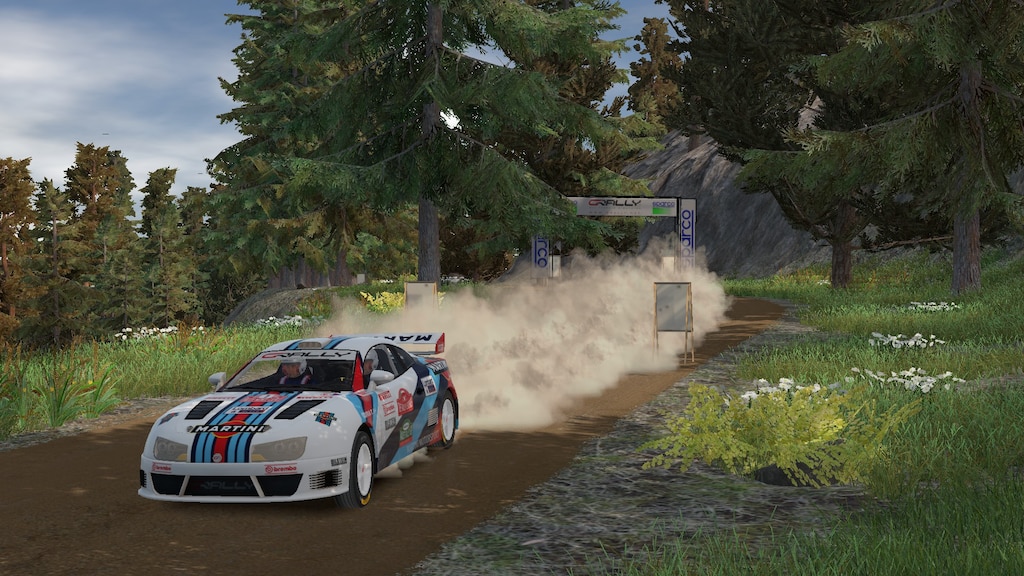
Can You Really Learn Rally Driving Skills from a Simulator?
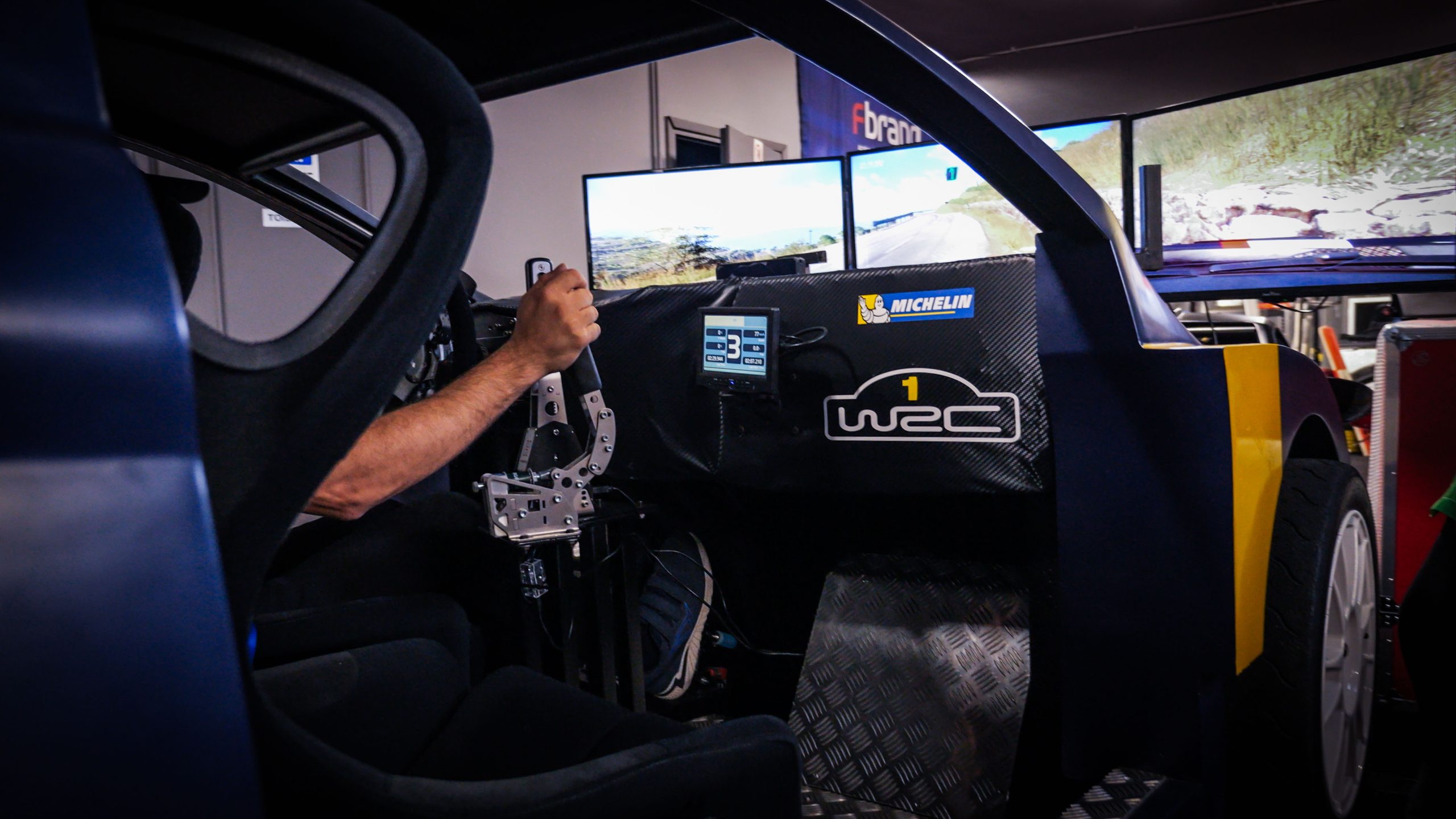
Racing games like Richard Burns Rally and Dirt Rally can bring rally action home. Many fans wonder if these games teach real rally skills. And this interests both gamers curious about the sport and professional drivers seeking extra practice. Let’s look at what Sims can and can’t teach you about handling a real rally car.
How Rally Simulators Work
Rally simulators combine special software with gaming hardware to simulate real driving. Basic setups use a controller, but serious users buy steering wheels, pedals, and racing seats. High-end rigs add VR headsets or motion platforms that tilt and shake. The best simulators try to copy how cars behave on different surfaces. For example, like gravel, snow, mud, and tarmac. Most of these expensive simulators can make you feel as if you are driving a real car. Simulators are more commonly used in sports and education. NFL quarterbacks often use simulators to practice making reads. Some top trade and vocational schools are using simulators for trades where field experience is increasingly expensive or difficult to obtain. These include welding schools, aircraft mechanic schools, and increasingly more.
Skills You Can Learn from a Simulator
Simulators teach several important rally skills. You’ll learn to listen to and follow pace notes like those rapid-fire directions from co-drivers telling you about upcoming turns and hazards. This skill takes time to master, and Sims offer endless practice.
Basic car-control techniques are clearly evident in good sims. You’ll practice timing your countersteering when the back end slides out. You’ll learn when to add throttle through corners and how to balance a car that wants to spin.
Rally stages demand total focus for minutes at a time. Simulators build this mental stamina without the physical danger. You also memorize track layouts and learn where to position your car for each turn.
One experienced rally driver noted, “It helped me not with car control but with focus and knowing pace notes. This is a crucial part of the rally that many beginners don’t grasp.”
Where Simulators Fall Short
The biggest missing piece is physical sensation. No home setup can truly copy the G-forces pushing you around in your seat. You can’t feel the tiny vibrations through the steering wheel that tell you when tires lose grip. Your body can’t sense weight transfer as the car pitches and rolls.
Real rally comes with unpredictable changes. Ruts appear where other cars passed. Rain creates slick patches. Rocks pop up where they weren’t before. Simulators struggle to show these random elements.
The mental pressure differs, too. Racing a real car worth thousands of dollars, with trees nearby and no reset button, feels nothing like sitting in your gaming chair. That rush of adrenaline and fear changes how you drive.
As one rally driver put it, “In a real car, you feel every rock slipping under your tires through the suspension, steering wheel, and engine sound. Sims can’t match that.”
Experienced Driver’s Opinion
Real rally drivers usually have mixed opinions on simulators. Many find them useful for specific skills but not as comprehensive training tools: several mention that sims helped them learn basic techniques, but the feel of a real car required adjustment.
Drivers who tried both note that karting, trail mountain biking, and rally schools fill important gaps that simulators miss. These activities add the physical sensations and real-world variables that games lack.
But does a driving simulator really help prepare you for actual rallying? The consensus is yes, but only as part of a broader training program.
Making the Most of Sim Training
To get the most from rally simulators, invest in good equipment with accurate force feedback. Train like you’d race in real life and also follow pace notes, take safe lines, and avoid habits that only work in games.
Try to imagine the missing physical sensations. When your car in the game crests a hill, picture yourself rising in your seat. When you slide, imagine the G-forces.
Most importantly, find ways to experience real car control. Even karting teaches valuable skills about grip and balance that transfer to rally.
Force-Feedback Tuning: Getting Realistic Rally Feel from Your Wheel
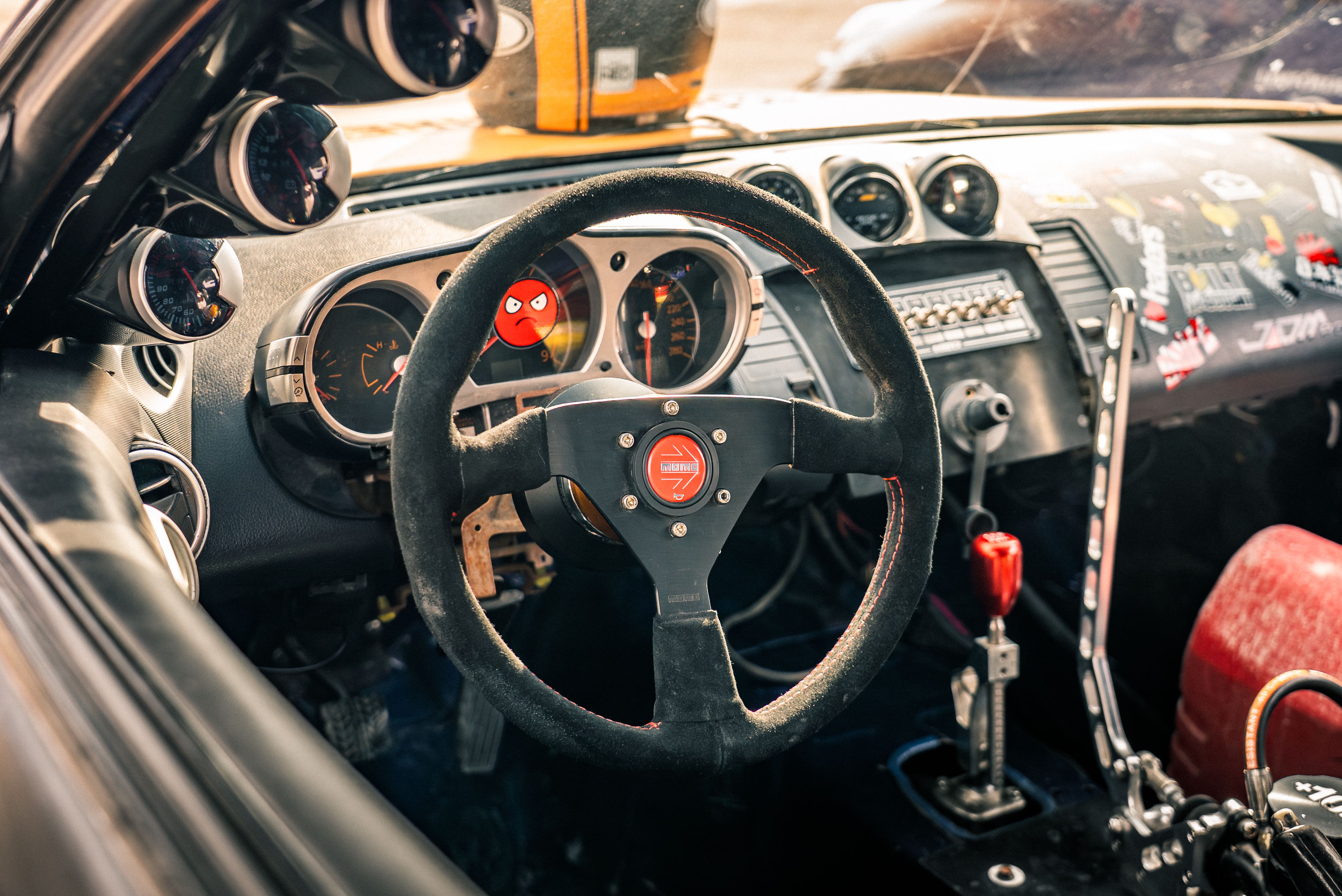
You load into the Assetto Corsa Rally, you drive to the first stage, and the wheel feels weird. It starts to get too stiff and lifeless. Or maybe it just shakes as though something is broken. That’s not the way to open a run.
You don’t need to tear your hair out to achieve the best AC Force Feedback Settings. With a couple of clever mods, your wheel begins speaking to you. Not in a scary way. But in a way where every bump and slide feels warranted.
Three Sliders That Control Everything
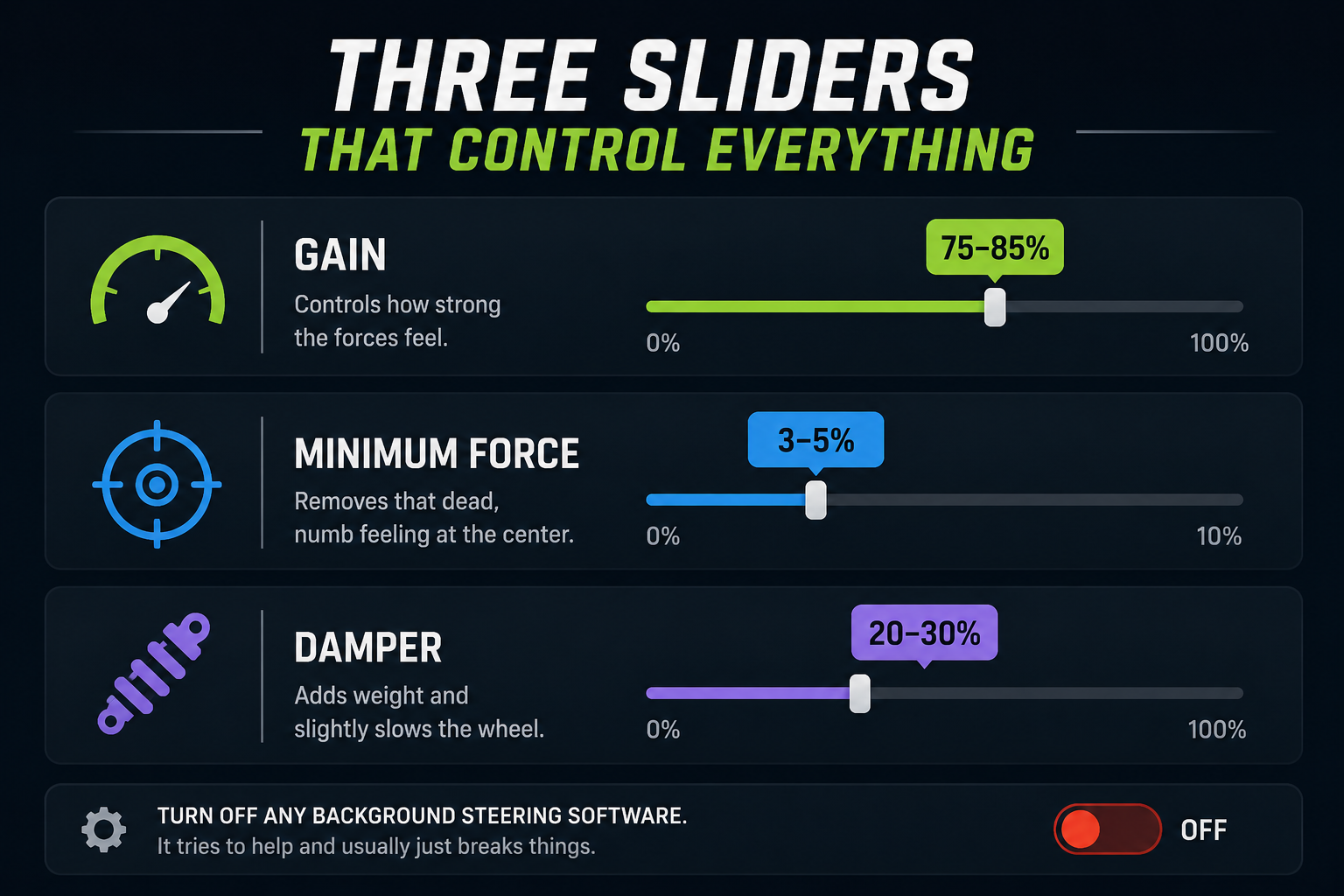
Before touching your wheel base, sort out the in-game settings first. These three do most of the work:
- Gain: Controls how strong the forces feel. Start at 75 to 85%.
- Minimum Force: Removes that dead, numb feeling at the center. Set it at 3 to 5%.
- Damper: Adds weight and slightly slows the wheel. Try 20 to 30%.
Also, turn off any background steering software. It tries to help and usually just breaks things.
Logitech G29 and G920
Logitech wheels are tough little fighters. They are gear-driven, a bit noisy, and the center can feel empty in AC Rally. You will need to push the settings harder to wake them up:
- Gain: 115 to 150%
- Minimum Force: 5 to 10%
- Damper: 20 to 30%
It won’t feel like a high-end setup. But it’ll feel alive. That counts for a lot.
Thrustmaster T300, TX, and T150
Thrustmaster wheels are smoother and pick up more road detail. They just need a small push. Set your wheel base to 100% across the board and then go in-game:
- Gain: 85 to 150%
- Minimum Force: 2 to 5%
- Damper: 0 to 50%
Gravel stages feel great on a T300. Tarmac can feel a little flat, so nudge the gain up on road sections.
Fanatec Direct Drive
Fanatec bases can feel really detailed in AC Rally. Too many filters bury the good things. Just keep it clean, and you are good to go:
- In-game Gain: 90 to 120%
- In-game Minimum Force: 0%
- In-game Damper: 0%
- Base NDP: 10 to 20%
- Base INT: 1 to 2
- Base FEI: 100%
Strip it back and let the physics do the talking. That’s the sweet spot with Fanatec.
MOZA Wheels
MOZA works really well with AC Rally straight away. A lot of people grab their normal Assetto Corsa profile and adjust slightly. It works more often than you’d expect.
In Pit House:
- Strength: 100%
- Mechanical Damper: 0%
- Road Sensitivity: 5 to 10
In-game:
- Gain: 80 to 100%
- Minimum Force: 0 to 2%
- Damper: 0 to 20%
The R5 at 5Nm may need a bit more gain. The R9 has plenty of power for most cars.
What Different Surfaces Feel Like
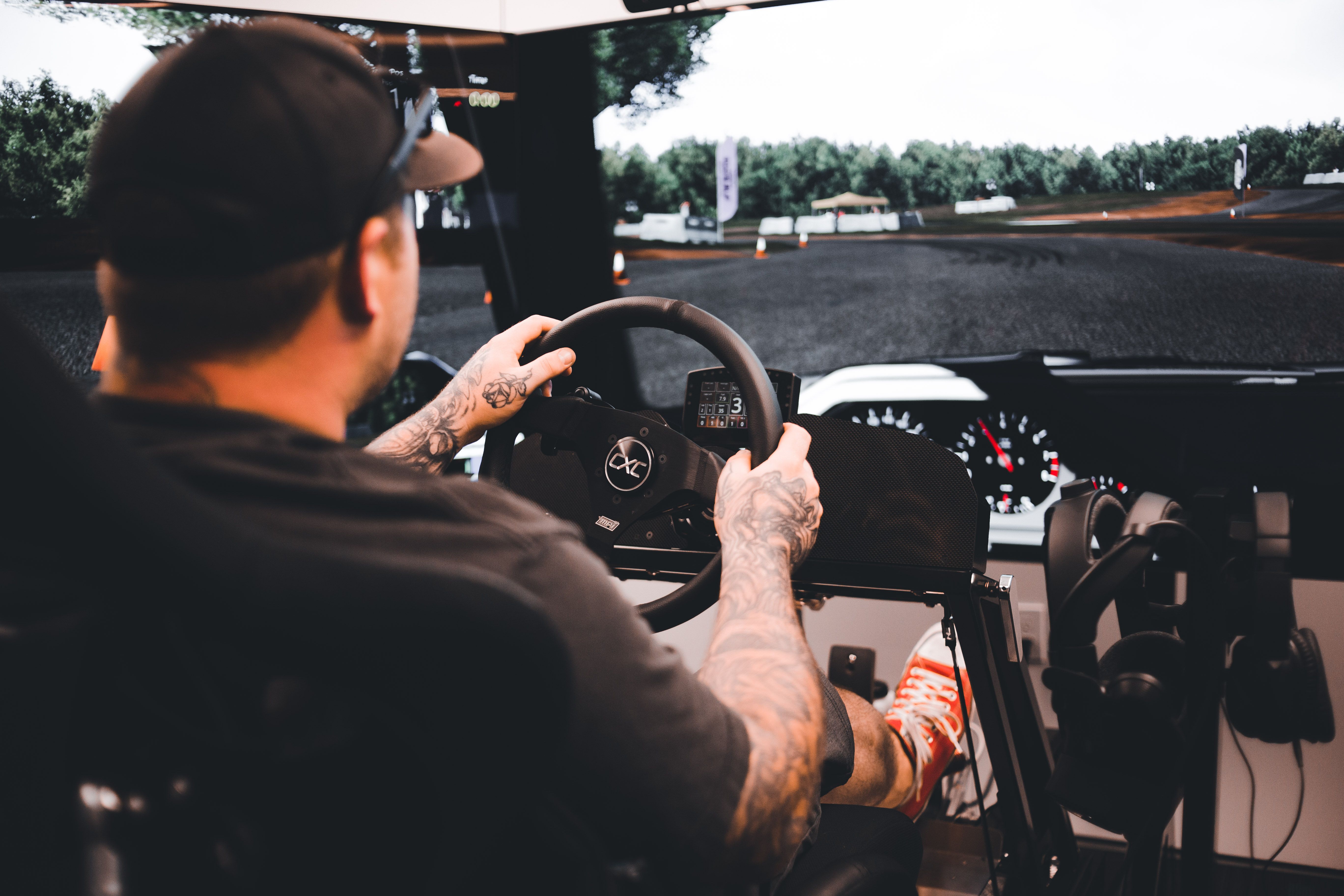
Road type changes what you feel in your hands:
- Tarmac: Heavy wheel, less vibration. If it feels dead, raise Minimum Force a touch.
- Gravel: The wheel comes alive with bumps and texture. This is where AC Rally really shines.
- Snow: Light and soft. The wheel feels loose. That’s just how it should be.
One Last Thing
Change one setting at a time. Set a stage, feel the difference, and then adjust again. Changing five things all at the same time can be confusing
You’ll know when the setup clicks. Bumps come through clearly. Slides make sense. You quit fighting to stick and actually start driving. It makes the nips and tucks worth it all that moment.
Wet and Snow Stages: Setup and Driving Tips for Low-Grip Rally Sims
Rain hits the stage. Snow packs the road. And just like that, every habit you formed out in the dry seems to count for nothing now. Rallying is a very different beast with its low-grip stages. The majority of drivers either overdrive, get scared the first time the car slides, or, more or less, end up buried in a snowbank somewhere offstage. However, if you ease up your inputs and tone down your setup, these stages can be quite enjoyable to drive.
Let’s break it all down.
Why Low-Grip Stages Feel So Different
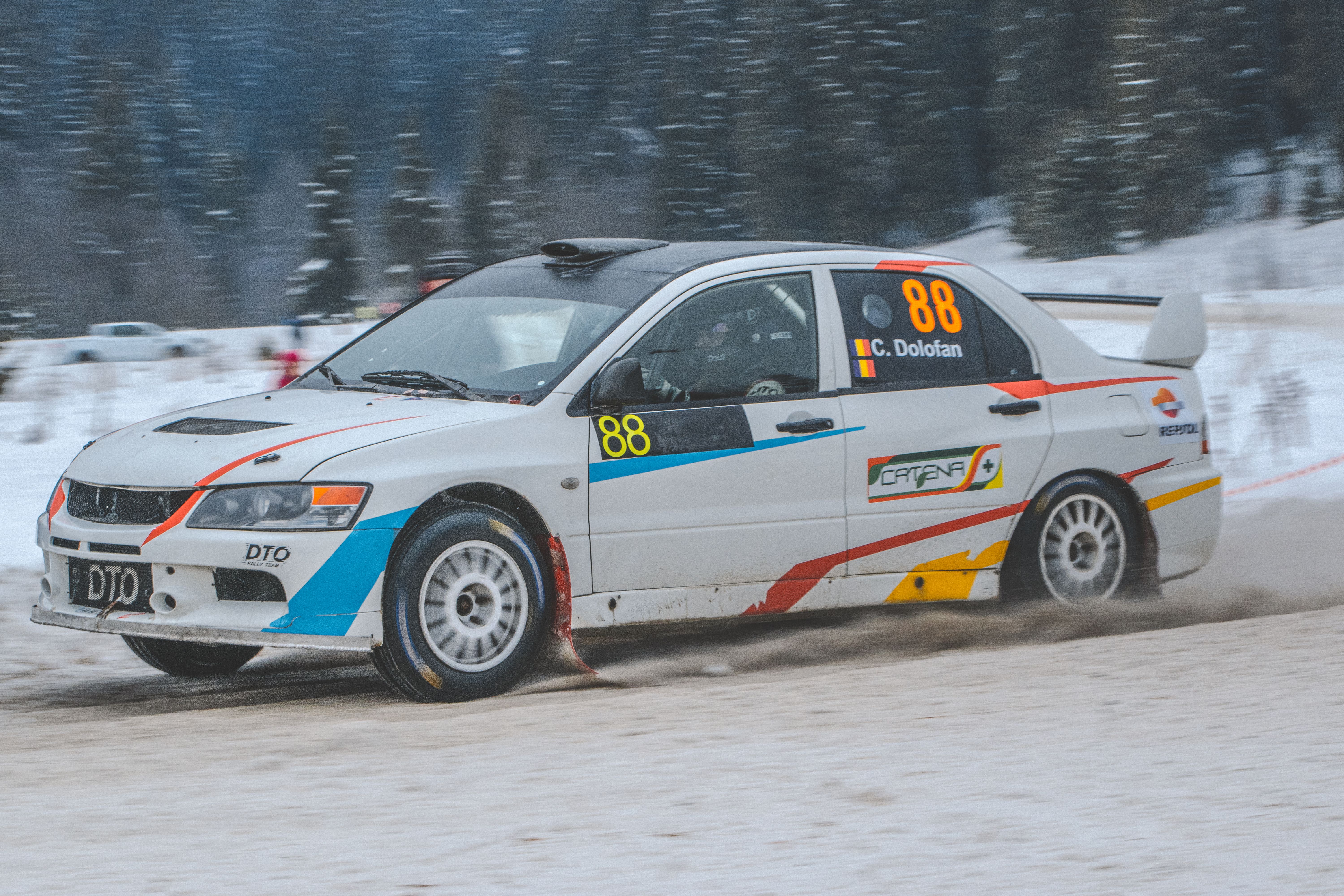
Dry tarmac gives your tires something solid to bite into. Wet roads and snow take most of that grip away fast. Your car responds more slowly to steering input. Braking distances stretch way out. Throttle on a corner exit can spin you sideways in seconds.
The biggest mistake is treating a wet or snowy stage like a dry one. Drivers carry too much speed into corners, the car doesn’t grip, they overcorrect, and it’s game over. Low-grip stages need a softer, more patient touch. No shortcut around that.
Setting Up Your Car for Wet and Snow Stages
Your car setup matters a lot on slippery stages. A dry-weather setup will fight you the whole way. Here’s what to change for a solid rally sim wet snow setup:
- Raise the ride height. This adds stability and stops the car from slamming into chunky snow or standing water on the road.
- Soften the suspension. Softer springs help the tires stay connected to the surface on rough ground. You get a better grip that way.
- Turn up traction control if your sim has it. It stops the rear wheels from spinning out on corner exits.
- Shift brake balance slightly toward the rear. This cuts the risk of front wheels locking up in slippery braking zones.
Most sims like Dirt Rally or EA Sports WRC include preset wet and snow setups. Use one as a base. Then tweak from there based on what you feel under you.
Driving Tips for Wet and Snowy Conditions
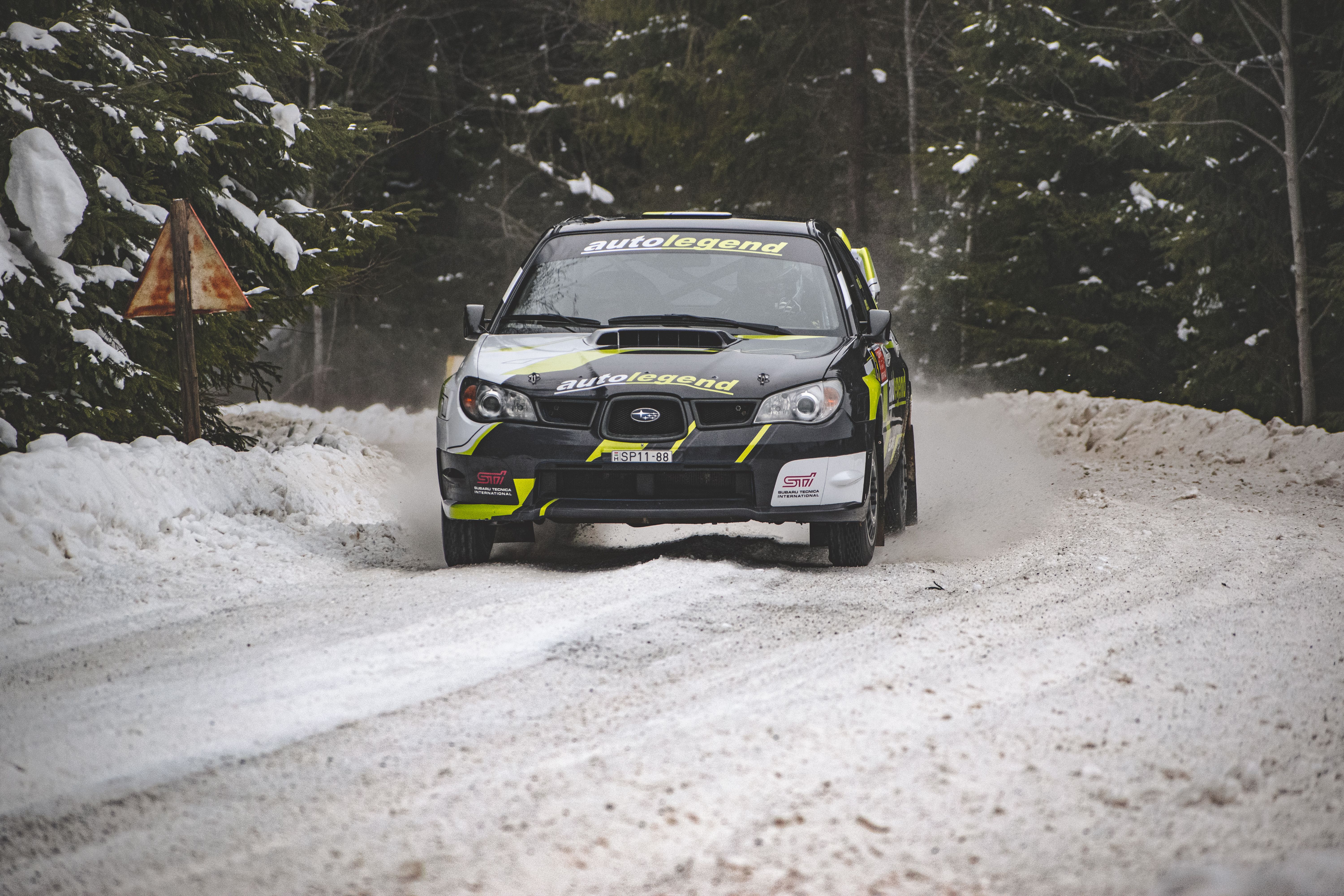
Setup only gets you halfway. The bigger change has to happen in how you actually drive.
Brake earlier than feels natural. In the wet, stopping distances can be double those on dry roads. Add extra distance to every braking point before a corner. It feels slow at first. It keeps the car under control.
Get off the usual racing line. In dry conditions, the rubberized line gives you the most grip. In wet or snowy stages, that same line turns slick and greasy from rubber and water. Move off it. Look for cleaner, fresher tarmac toward the edges of the road. That surface holds way more grip.
Keep every input smooth. No sudden steering jerks. No hard throttle stabs. No panic braking. Drive like you’re carrying a full cup of coffee on the dashboard. Every move should be calm and easy.
When the rear steps out, stay cool. Steer gently into the slide and ease off the throttle. Let the car settle on its own. Overcorrecting is what sends most drivers off the stage.
Practice Before Race Day
Don’t wait for a wet race to learn this. Just hop into a private session and drive. Run slow laps first. Discover where the grip is working and where it tails off. Create your own braking points from zero for slippery scenarios.
Putting more laps down on wet and snowy stages makes it all feel second nature. Those stages do not become a nightmare. They become the ones that you pick up in real time on drivers that never practiced them.
Esports Rally: How to Organize and Run Competitive Rally Leagues
So, you want to host a competitive league for rally esports. That is a smart move. Sim racing has gone through a massive resurgence in the past few years. Actually, most players are searching for real structure and ranked competition. Before you fix the details, it helps a little to understand how esports works at the ground level. And once you master that, the rest flows so much faster.
How Does Esports Work?
Esports is organized and competitive gaming. It can be a specific structure in which players race, fight, or compete against each other in video games. Top players gain points, advance in leaderboards, and compete for cash in finals. In a way, it is a reflection of traditional sports. You will see teams, seasons, playoffs, and finals. The main difference is that there is a monitor and a controller instead of a track and an actual car.
A rally esports competition pits players against each other in sim racing games such as DiRT Rally or Assetto Corsa. Each pilot will try to achieve the best time, or the fastest time, or beat a rival directly. It gets very competitive. And here everything happens so fast.
Online or In-Person
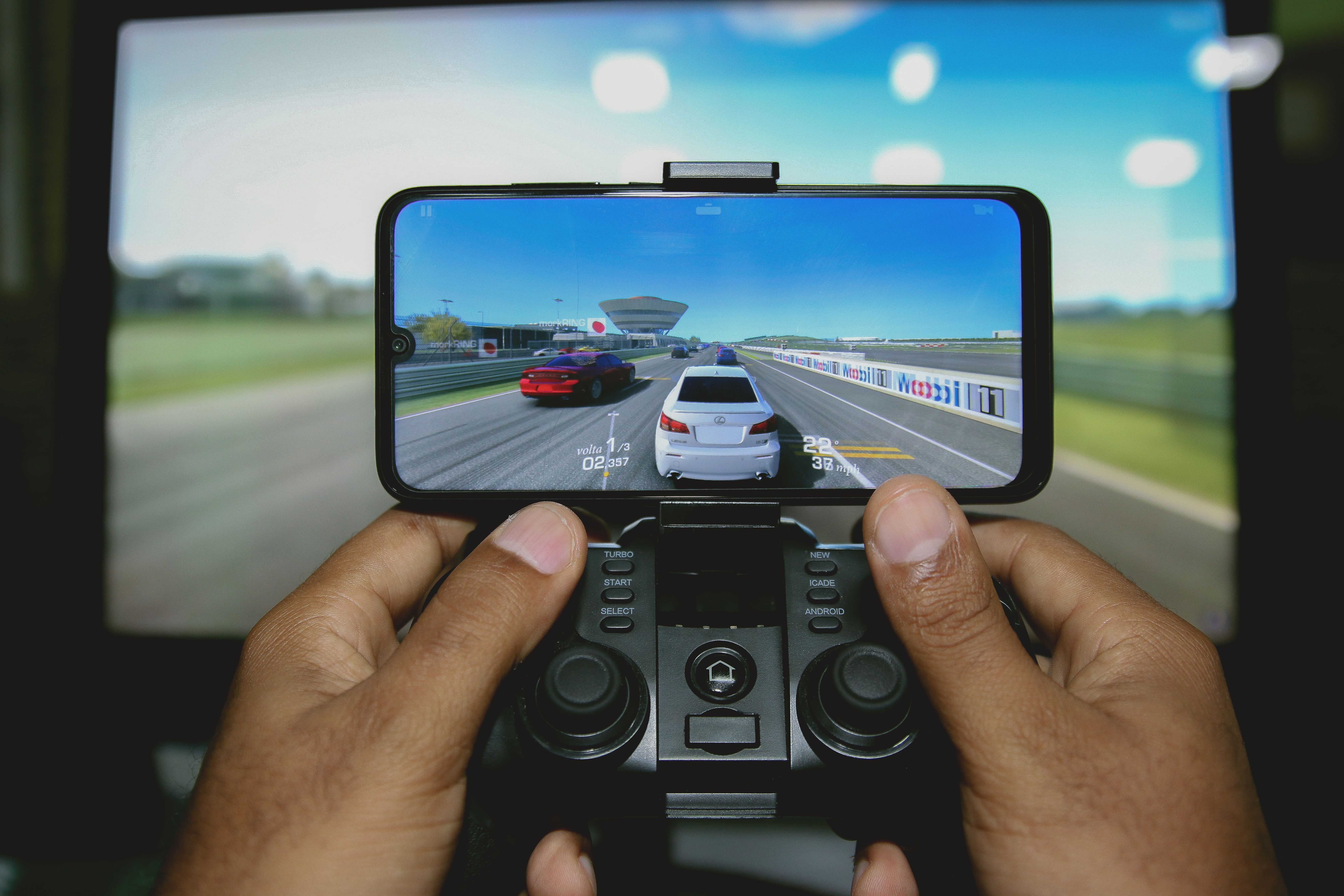
This is the first decision you need to make. Online events are the easier starting point. You don’t need any venue to book, no equipment to hire, and players can join from anywhere. Most new leagues start online. And it just makes sense.
In-person events are a different story, though. You need a space big enough for multiple racing rigs. Every player needs their own setup to compete. That costs more and takes longer to organize. But the live energy at an in-person event is something you just can’t get online.
How to Structure Your League
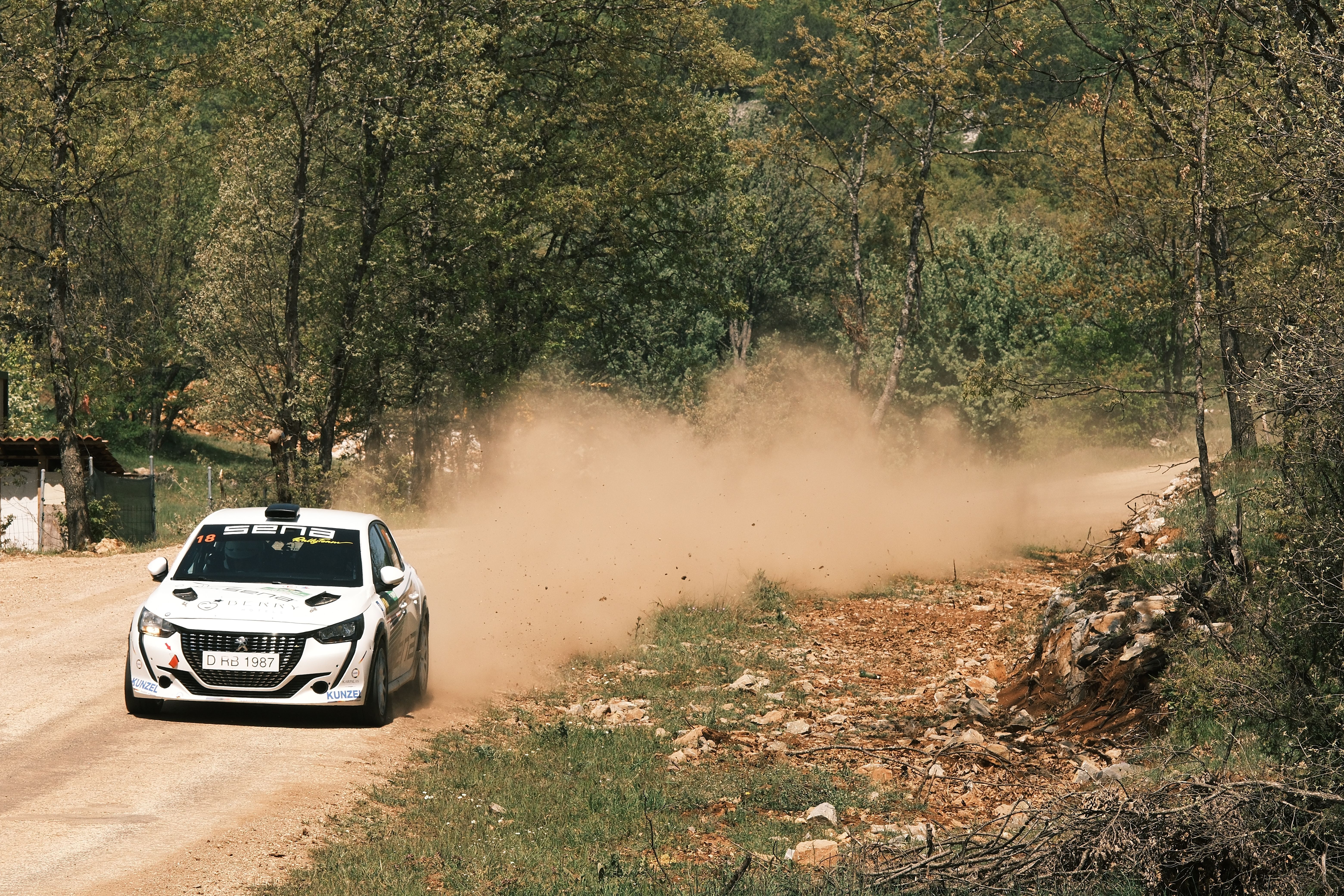
A clear format keeps things fair and fun for everyone. Here’s a simple setup that works well for most rally leagues:
- Regular season: Players race weekly and collect points based on their results
- Playoffs: The top finishers from the season move into the knockout rounds
- Finals: The last few drivers race it out for the league title
You will also need to keep the rules the same for every player. People trust a fair system. That trust is what keeps a league alive and growing season after season.
Stream Your Events
You can also try to stream your races. Even a basic Twitch broadcast from one PC gets the job done. More viewers mean more buzz around your league. More buzz means more players signing up next season. You don’t need expensive equipment to get started. A capture card and a solid internet connection are all you need.
As the league grows, proper broadcast support from teams like Simstaff becomes worth looking at. But early on, start simple and build up from there.
Prizes Keep Players Coming Back
Prizes bring players in. There is no need to put up cash instantly. A unique Discord role, or even free access to the next season, is more than enough for a league in its infancy. Start with small rewards as things scale up. For more serious players, cash prizes, gaming hardware, or sponsor deals are best.
Consider how Dota 2’s The International has amassed a prize pool of the tens of millions of dollars by making it a community affair every year. You could attempt something similar, on a smaller Scale
Build the Community
The top leagues operate at the community level. Set up a Discord server. Let players talk between races. Share results, highlight posts, and victories. A close group of racers keeps your league alive. Even long after the last race of the season.
So start small, stay consistent, and grow over time. The racing brings people in. And it is the community that makes them stay.
How to Trust Pace Notes: A Step-by-Step Method to Stop Over-Driving
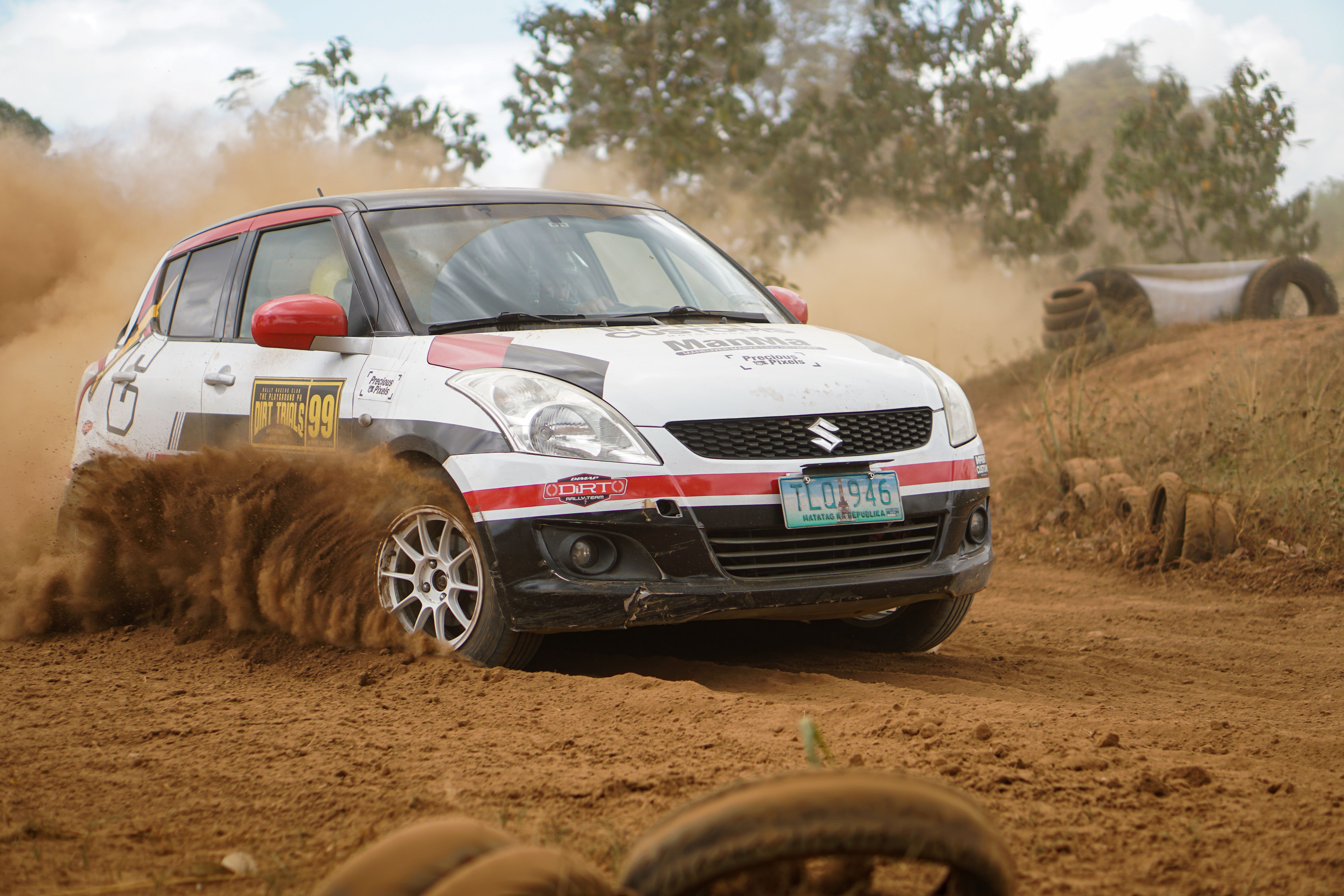
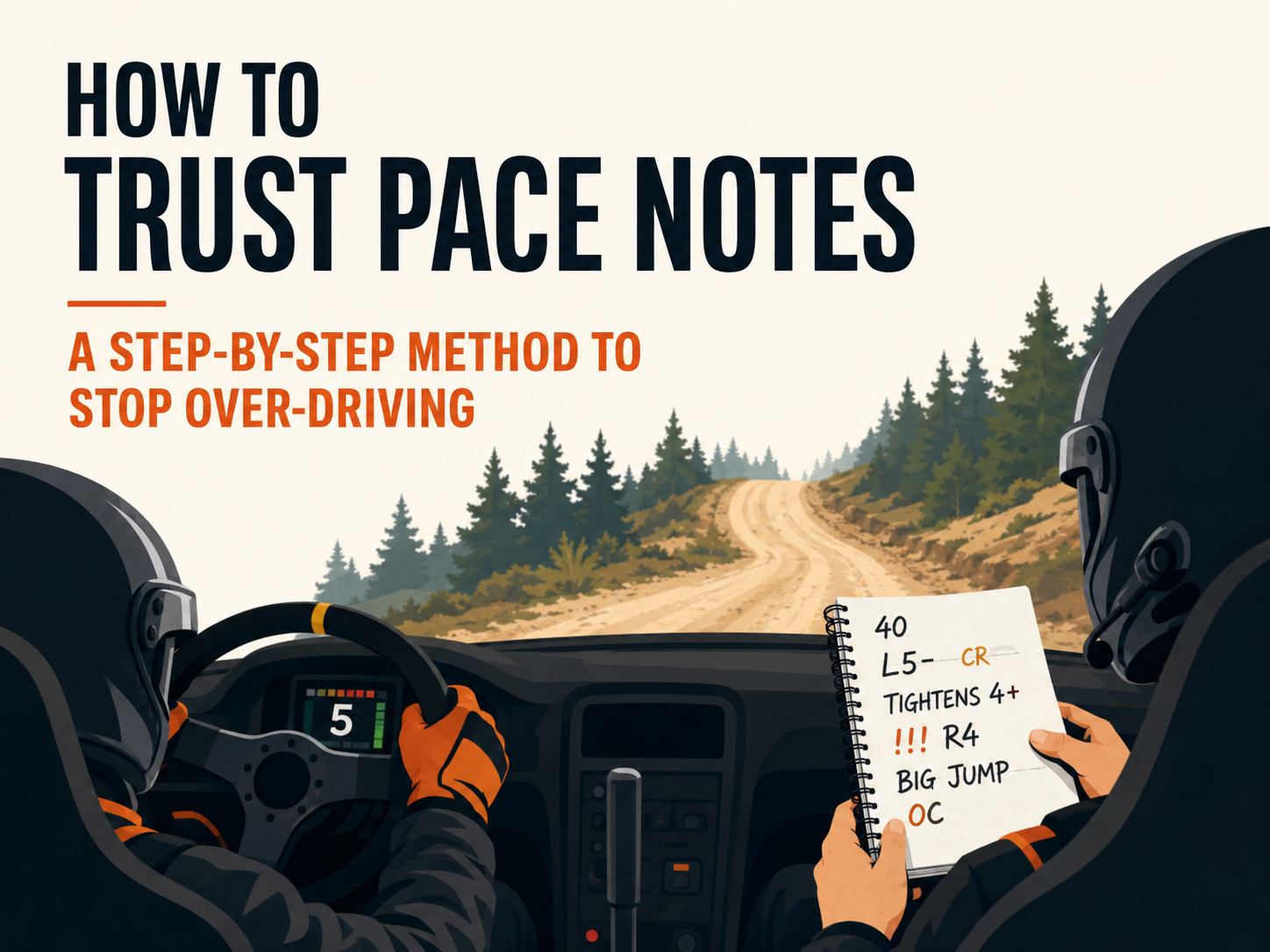
Imagine a rally car doing 100 mph down a dirt road. The co-driver shouts: “Forty, left five minus over crest, tightens four plus, triple caution right four, big jump off camber. The driver nods. There are no brakes and only full commitment.
That’s pace notes, but in real life, for you. And it does sound scary. However, this is something that has a deep system. And when you get it, it falls into place.
What Are Pace Notes?
Pace notes are the co-driver’s script. They’re documenting every corner, every jump, every crest, and once-tricky stretches the driver can’t see just yet. The driver flies just ahead of their own line of sight. The notes close that gap. Without them, rally driving at full speed would be one long and terrifying guess. And it can result in one dangerous consequence.
Going through a run called “recce,” teams take notes ahead of race day. On the first pass, the driver calls out the road and the co-driver writes it down in shorthand. During a second pass, the co-driver reads everything aloud. Whenever the driver senses something is wrong, they fix it. It’s like getting directions from someone who already drove that road flat out. Except that person is yelling at you in a harness seat, doing 100 mph.
The Basic System
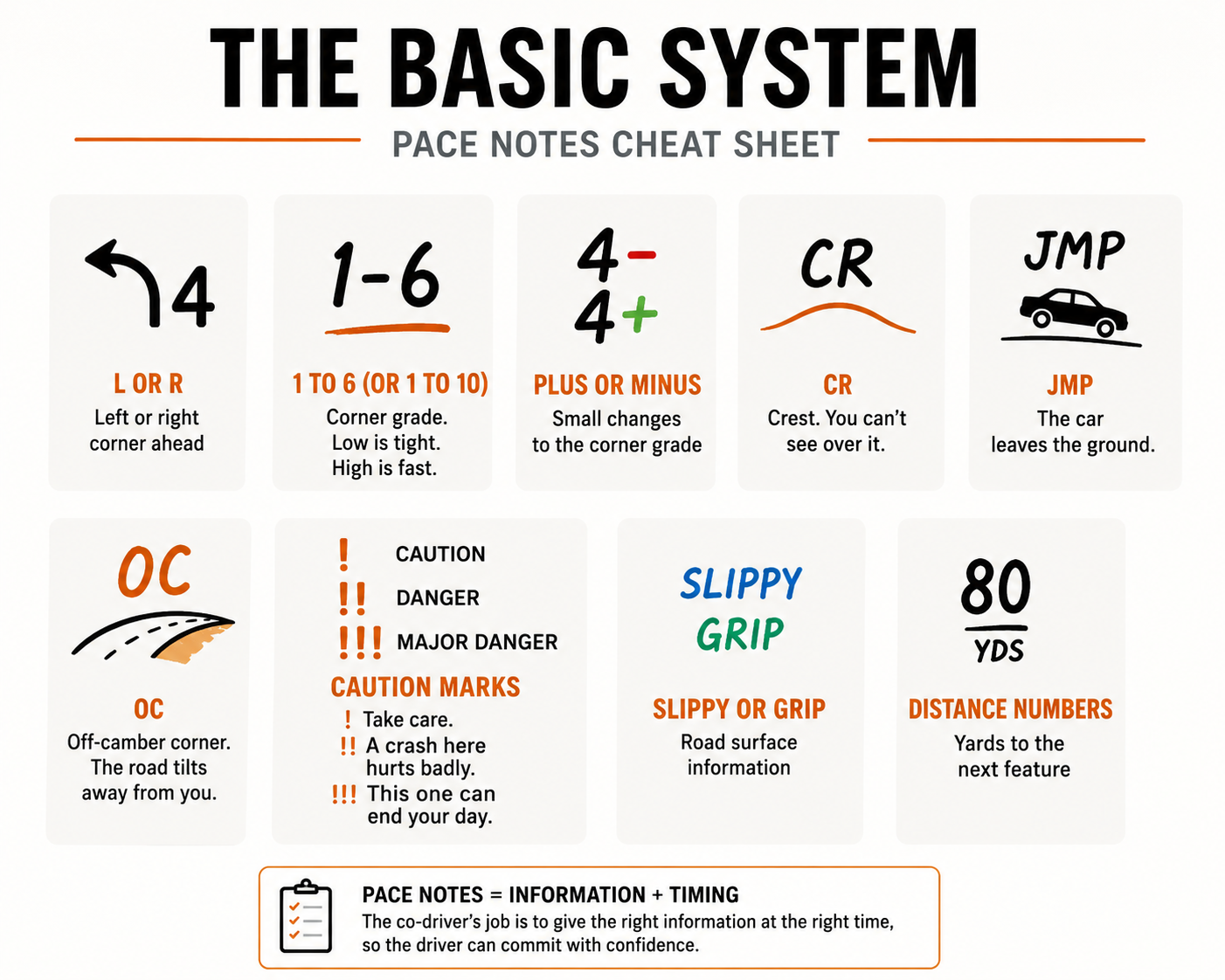
Most teams grade corners using a number scale. Low numbers mean tight turns. High numbers indicate fast, open bends. Here’s a quick breakdown:
- L or R: Left or right corner ahead
- One to six, or one to ten in some systems: Corner grade. Low is tight. High is fast.
- Plus or minus: Small changes to the corner grade
- Cr: Crest. You can’t see over it.
- Jmp: The car leaves the ground.
- OC: Off-camber corner. The road tilts away from you.
- Single caution mark: Take care.
- Double caution mark: A crash here hurts badly.
- Triple caution mark: This one can end your day.
- Slippy or Grip: Road surface info
- Distance numbers: Yards to the next feature
How to Actually Read the Notes
The co-pilot is not reading words from a sheet. The timing is as important as the content. A note too late, or the driver couldn’t react in time. Call it too soon, and they forget it before they get around the corner.
A co-driver may work two or three corners ahead of a pacing car on a fast and open road. They back off and dial it all the way down on a tight, tricky section. It syncs up with the rhythm of the stage. Good co-drivers are also perpetually scanning the road. They dart their eyes between the page and the track, and back again. You should not lose your place in the notes. Much more awful is reading an incorrect note at speed.
How to Stop Over-Driving and Trust the Notes
Most new drivers slow before every blind crest. That is a smart move. But it eats into your time badly. Here’s how to build real trust:
- Write clean notes on recce. Take your time on the first pass and get the notes right. Speed comes after.
- Check on the second pass. The co-driver reads every note back. The driver corrects what feels wrong. A second look catches many mistakes.
- Use a trip meter. It tracks the distance between features. The co-driver stays locked on the road. And there is no guessing.
- Commit one corner at a time. Pick one blind crest. Just trust the note and go flat. Then do it again on the next one. Confidence grows corner by corner.
- Talk after every stage. Debrief together and also fix what felt off. Good communication builds trust faster than anything else.
The Trust Factor
Australian rally co-driver Coral Taylor said it well. Pace notes paint a picture of the road ahead. The driver sees what’s coming before they get there. At 200 kph through a forest, that picture is everything.
Trust takes time to build, and it grows corner by corner and also stage by stage. Over-driving comes from doubt. Doubt comes from notes you don’t fully believe in yet. Fix the notes. Trust your co-driver and drive the stage.
Telemetry Tools Every Rally Sim Racer Should Use
If you want to get faster in rally sim racing, then the answer is right in front of your face: it’s data. Tracking your telemetry is like a lie detector for your driving. It shows you exactly where you are losing time and also how to fix it. Let’s look at some of the best telemetry tools to eliminate your guesswork and help you get real speed.
What’s Telemetry Anyway?
Telemetry is a term for a racing simulator that records data while you are driving. It records your speed, braking, how hard you press on the gas, and even tire temperature. It is akin to having a coach who sees everything you do and is honest about your shortcomings.
“But I just want to drive!” I understand, and the great thing is you can set up basic telemetry in under five minutes, and just check it after every race.
Getting Started: PC vs. Console
If you’ve got a PC, things are great! Most PC simulations write their data directly to your PC’s memory, and the tools can read it even without any workarounds.
And if you are playing on the console, you do not need to worry. In games like F1 and Forza, data can be sent over your network, so just enable UDP in your game settings and direct it to a laptop or tablet on the same WiFi.
Must-Have Tools for Rally Sim Racers
These tools will give you the biggest bang for your buck in rally games:
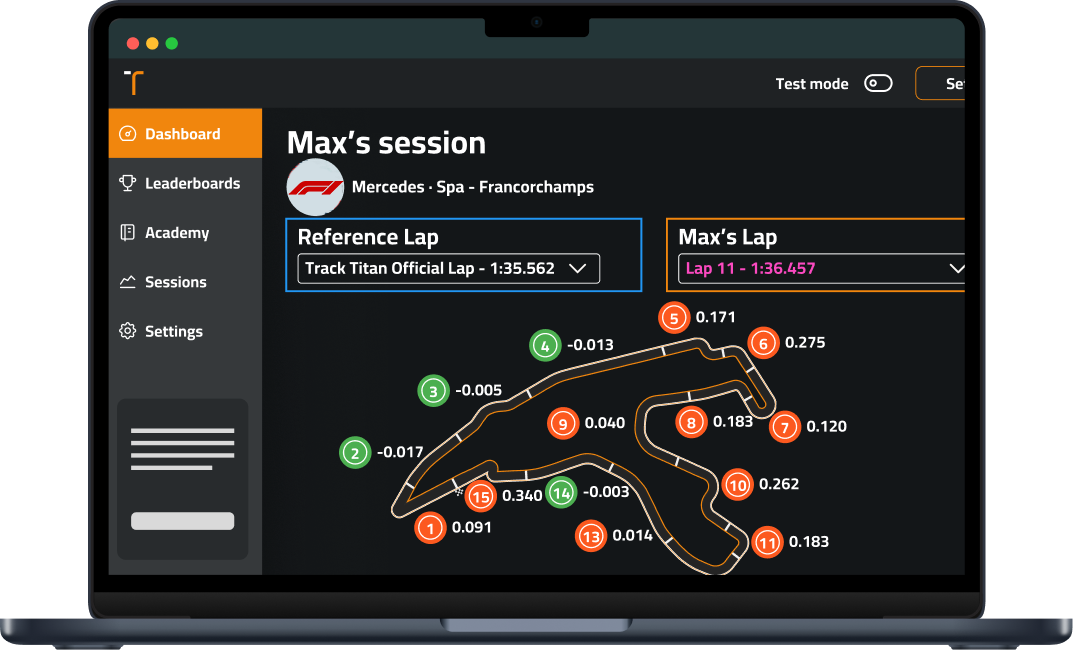
- Track Titan– It is great for beginners with AI that spots your mistakes
- SimHub- It works with consoles too and shows live data as you drive
- MoTeC i2- The pro choice if you want depth (but has a steep learning curve)
- SRT- Perfect for checking data on your phone or tablet after a stage
For rally-specific sims like EA WRC, turn on UDP telemetry in settings and connect it to SimHub for a quick start.
What to Look For in Your Data
You don’t have to get lost in the numbers! Just focus on these key things:
- Braking points – Are you braking too early and wasting time?
- Throttle trace – See a zigzag pattern? You’re fighting for grip and losing speed
- Minimum corner speed – Often, the biggest difference between fast and slow drivers
- Coasting – Those flat sections between brake and gas are usually time wasters
In rally sims, pay extra attention to weight transfer. Your telemetry should show smooth transitions between brake and throttle through corners.
Simple 5-Minute Review Routine
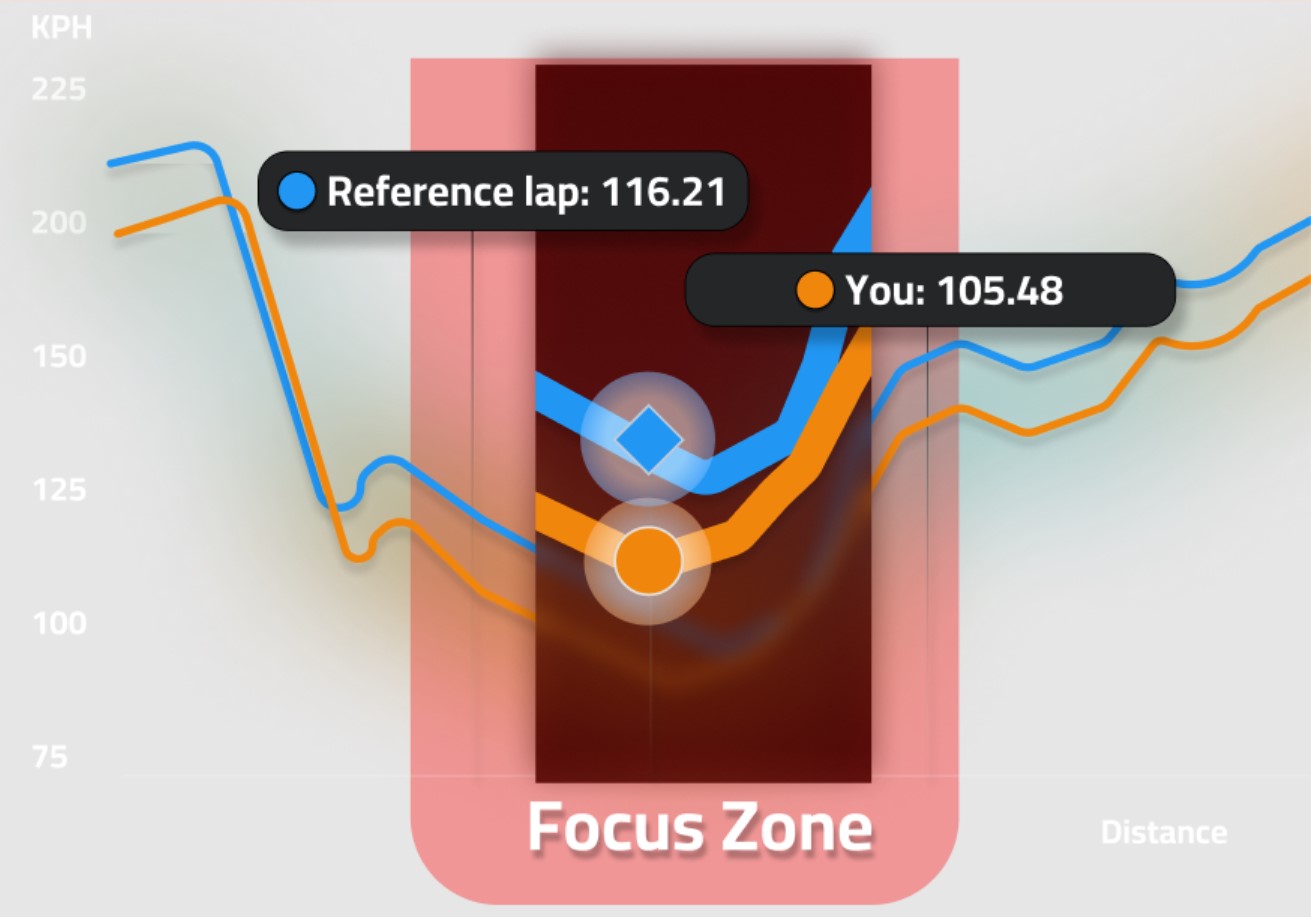
After a rally stage:
- Check where you lost the most time using sector times
- Look at your brake and throttle inputs in that section
- Compare with a faster reference lap
- Pick ONE thing to change next time
- Run the stage again to test your fix
Don’t try to fix everything at once! Baby steps create lasting improvement.
Avoid These Common Mistakes
Many rally sim racers mess up with telemetry by:
- Getting distracted by data while driving. You need to save it for between stages!
- Trying to match pro traces exactly. Instead. Focus on patterns and not perfect copies
- Comparing runs with different conditions because wet vs dry data tells you nothing useful
Getting Better Fast
Set up a simple dashboard with just three things: And they are current lap delta, basic tire temps, and a mini map. This gives you enough info without becoming a distraction.
Finding the edge of grip is an important skill in sim rally racing, and with the right tools, you can see that edge before falling off it. Start off with basic tools, and focus on one improvement at a time to see your stage times drop!
For the best results, use telemetry to study your mistakes, but don’t forget the most important part: having fun slinging dirt around those corners.
Motion Platforms for Rally Sims: Do They Improve Driver Performance?
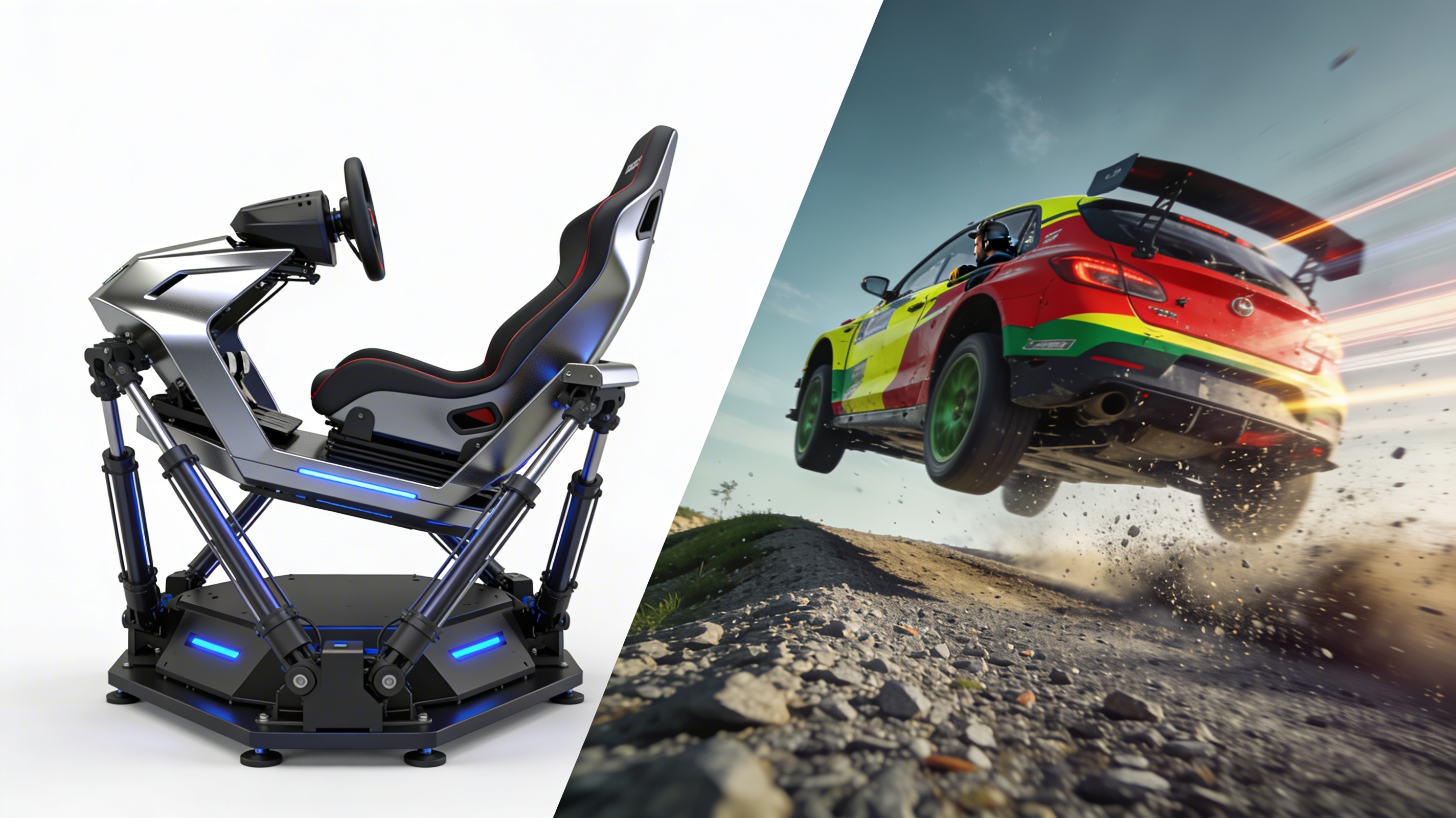
Have you ever experienced the excitement of your rally car jumping over a crest? Or the awful feeling when the rear end slides out on the gravel? Rally sim racing is a lot of fun, but there’s a difference when you are sitting in your gaming chair. This is where motion platforms come into play.
Do these expensive moving setups actually make you quicker? Let’s find out.
What’s the Big Deal About Motion?
To put it simply, rally driving is about feeling. In rally driving, feeling comes from the car as it slides around corners. Through a sophisticated static sim, you can “see” everything the car is doing. However, you can’t feel everything the car is doing.
Motion systems attempt to fill this void by shaking, tilting, bumping, and moving your seat to simulate the rally car in the game. If a virtual car slides, you will feel a slide. If the car runs over a bump, your seat will rise and fall.
Mark Higgins, a professional rally driver, describes the feeling as shocking. He has even stated, “You start reacting to the car before you even see the slide on screen.”
Types of Motion Rigs
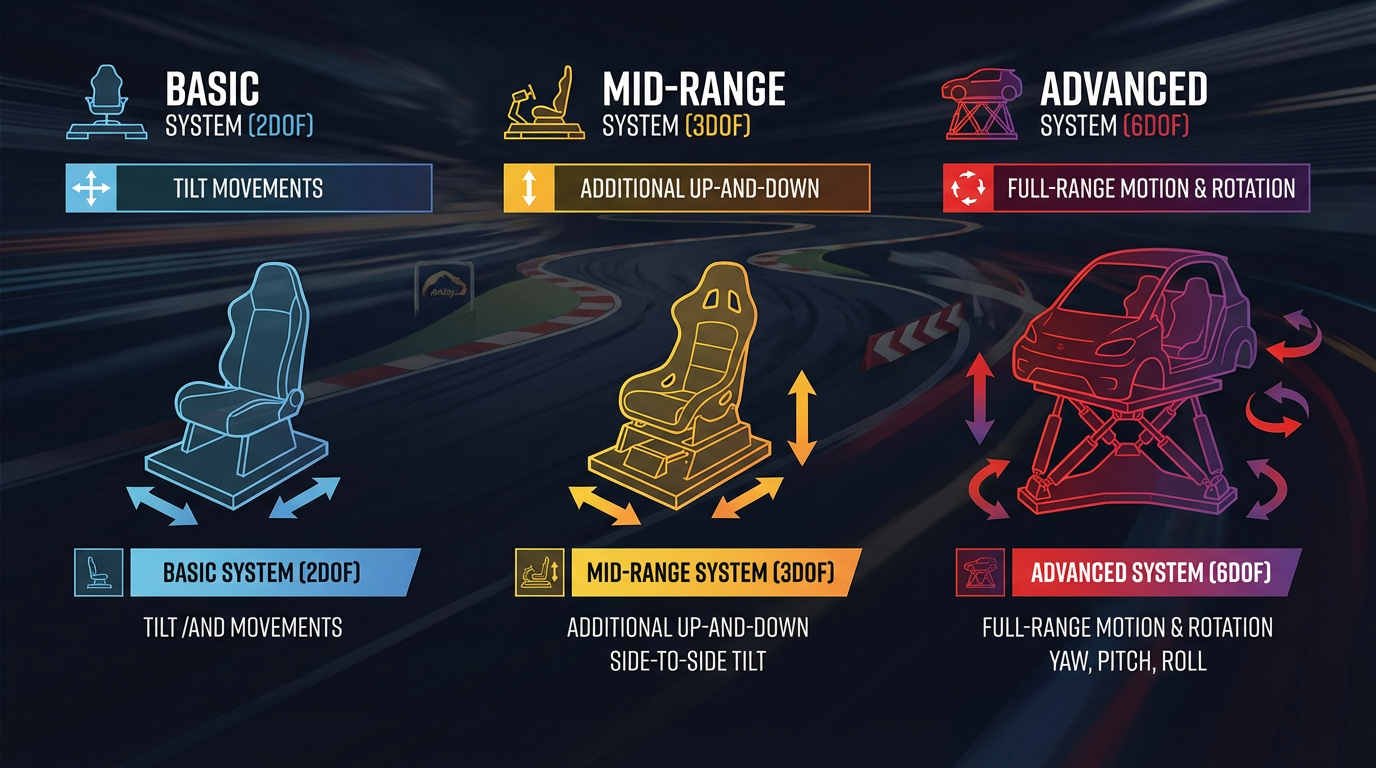
There are different types of motion systems. The most basic ones (2DOF) only tilt forward and backward, and side to side. Adding more movement, mid-range systems (3DOF) can include up-and-down motion. The more advanced systems (6DOF) can move in any direction and even rotate.
As you can imagine, systems with more movement are also more expensive. A basic system can start around $1,500, but you can spend over $20,000 for a full-motion rig. That’s a lot!
But Do They Make You Faster?
This is what matters most. Studies from racing schools and sim labs give us some answers:
Drivers learn tracks faster with motion feedback. Your brain processes physical cues more quickly than visual ones.
Your reaction time can improve by up to 0.2 seconds. That doesn’t sound like much until you consider you are avoiding crashes at 100mph!
Your tire grip limits become more apparent. You feel when you are pushing too hard.
The Science Behind It
The human brain loves consistent input, and when the eyes say “we’re sliding,” and the body feels no movement, it gets confused. Motion platforms sync these signals and help your brain build better driving habits.
Dr. David Ferguson from Michigan State University found that drivers using high-quality motion rigs showed brain activity patterns much closer to those in real-world driving than those using static setups.
Real Drivers, Real Results
Oliver Solberg, a WRC Rally Champion, gets motion rig training between events. “I can practice new stages with no travel or risk. The muscle memory transfers directly to the real car.”
And it’s not just elite drivers. After three months of practice on a motion sim, amateur rally driver Sam Burton improved his first real stage time by five seconds! That’s massive!
The Not-So-Great News
Motion platforms are not magic:
- Bad systems can teach bad habits. If the motion feels fake or delayed, you’ll learn to adjust your timing.
- They take up tons of space.
- They’re loud.
Who Should Invest?
Motion platforms make the most sense for:
- Serious rally drivers who need extra practice time
- Sim racers who compete at high levels
- Rally schools teach newbies the basics of car control
- People with extra cash who want the coolest setup on the block
For casual players, you need to save your money and spend it on better pedals and a wheel first.
VR vs Triple-Screen: Which Immersion Setup Is Right for Rally Simulators?

Having trouble deciding whether to get a VR headset or three monitors for your rally sim setup? You’re not the only one! It’s hard to know which one will improve your virtual racing the most. In this article, let’s break down the two choices so you can make the best decision for your setup and budget.
The Magic of VR Rally Simulators

Boom! You are virtually adjusted in your seat to a real Rally car! Virtual reality can do that. Instead of looking at a flat screen like most simulators, with VR, you can look around corners, check mirrors, and feel every little movement of the car.
One of the sim racers said, “I felt like I was actually sliding through Finnish forests. The way you can judge distances and spot apexes feels so natural.”
Putting on VR makes you feel and experience the race in a way that a flat screen never will.
What VR gives you:
- head movement to see other racers,
- real focus depth, which helps with braking, and
- total immersion with no real-world distractions,
- less room to empty in your actual room.
Unfortunately, VR has many flaws too. Many racers get hot and sweaty after an hour. Dizziness during jumps and slides is a side effect for many, if not most, and to avoid a hard lag and a smooth experience, you need a very powerful, often expensive, computer.
The Power of Triple-Screen Setups

Three screens wrapped around your sim rig can create a panoramic view that fills your vision. This setup lets you see more of the track at once without even turning your head.
Triple screens give you:
- Crystal clear visuals without the “screen door effect” of VR
- Better comfort for long racing sessions
- Easier access to drink bottles and button boxes
- No motion sickness issues
Many racers can go for four hours straight on triple monitors without issues. Do that same session in VR and expect a very sweaty face! The comfort factor makes a huge difference for endurance racing events.
The disadvantage is that these setups eat up room space and cost more upfront. You also need to fiddle with bezels and viewing angles to get everything just right.
Head-to-Head
When it comes to immersion, feeling like you’re really in the car or in the racing environment is the most important aspect. The speed can be frightening in VR, especially when trees fly by your face.
In long racing sessions, with no discomfort, triple screens are the best option. Your eyes and head will thank you even after the third hour of racing.
Among serious competitors, most professional drivers still choose three screens. They offer stable performance without the risk of VR headset issues mid-race.
When looking at the tight-budget option, basic VR can be cheaper than three good monitors and their stands. But both require a powerful computer to run smoothly.
So, Which Should You Choose?
Choose VR if:
- You want to experience total immersion.
- You race shorter sessions (under 90 minutes)
- You have limited physical space.
- You enjoy looking into corners naturally.
Choose triple screen if:
- You race long endurance events.
- You dislike wearing anything on your head.
- You get sick easily.
- You need to see buttons and controls around you.
Both setups are exponentially better than a single monitor! Once you experience either immersive option, your rallying will be transformed!
Best Entry-Level Wheels & Pedals for Aspiring Rally Racers
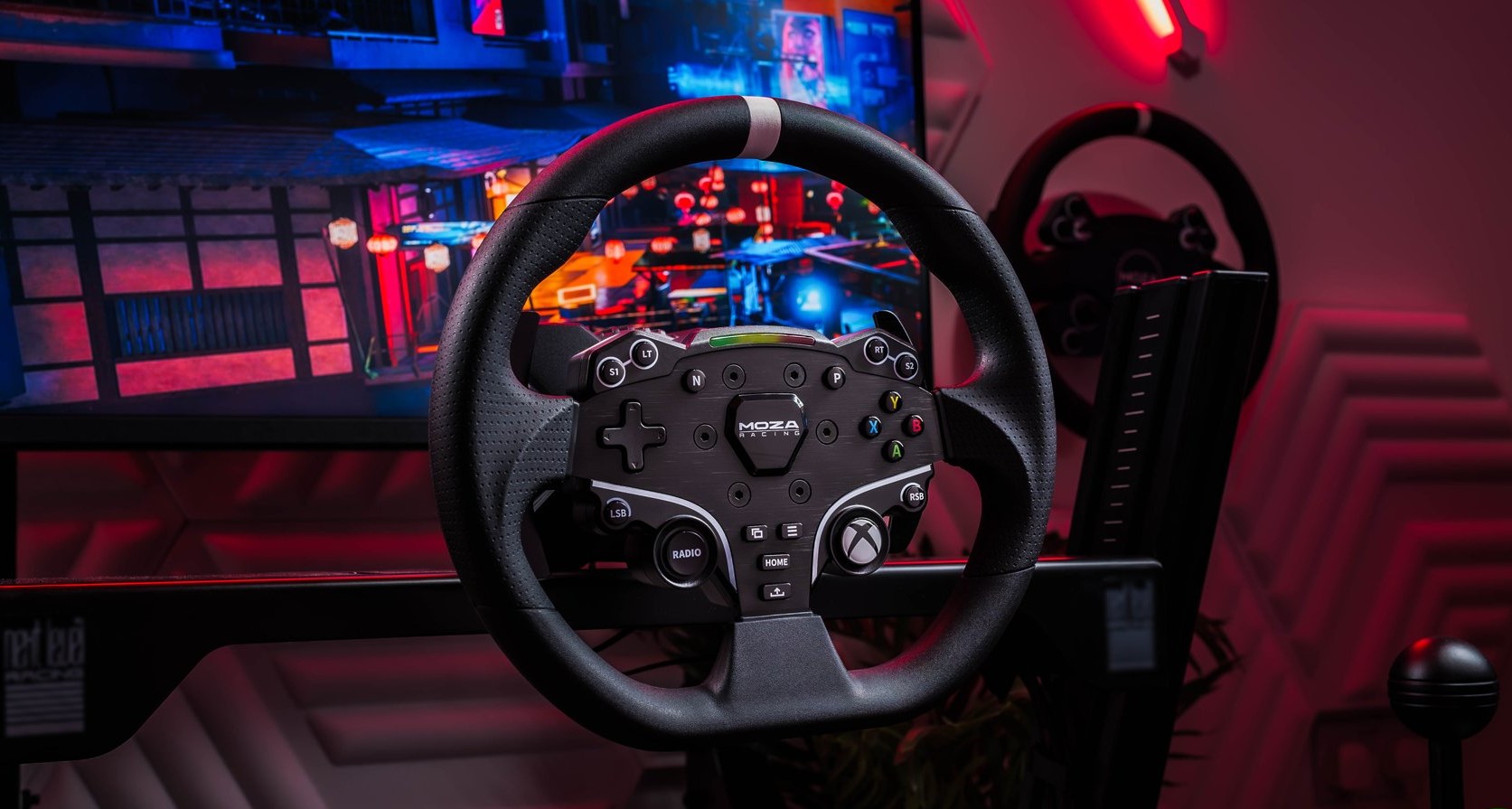
Want to take your virtual racing to the next level? Let’s help you get your hands on a racing wheel. It’s time to get you some starter gear that won’t break the bank. We’ve tested lots of options under $350 to help you get your first racing wheel.
What You Need to Know First
All the wheels listed here are compatible with a PC and can be mounted to a desk or a standard racing seat. Some wheels work with either Xbox or PlayStation, so check what you play on before you buy.
A good racing wheel typically consists of three main components:
1. The Wheelbase (the motor that creates resistance)
2. The steering wheel
3. The gas and brake pedals
Force feedback is essential. This tech should help you to feel the road, the car’s grip, and every bump through the wheel. Cheaper wheels without this feature are just not worth it. They only vibrate and spring back to center, with no real road feel.
Before you buy the pedals, you should make sure that they won’t slide away from you when you slam the brakes! Quality pedals should have rubber grips that work on hard surfaces or teeth that grip into carpet.
Top Budget Racing Wheels Ranked
6. Thrustmaster T248 ($330)
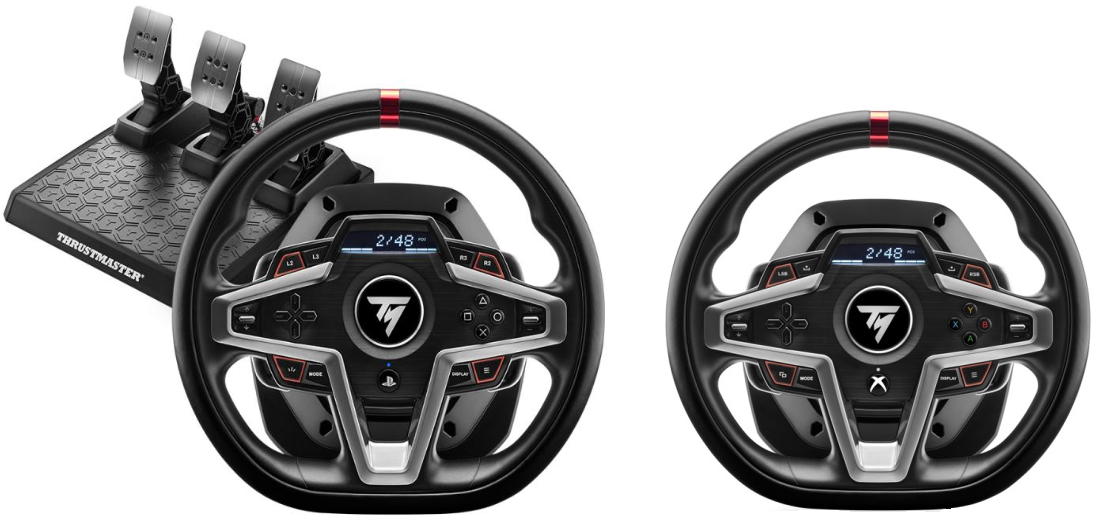
Compatible with Xbox and PlayStation (and PC), this wheel comes with:
- A digital screen for adjusting settings
- Decent force feedback at 3.5Nm
- Three pedals, including a clutch
- Leather wrapping
- 25 buttons and rocker switches
The disadvantage is that this wheel is very noisy! The shifters are loud and click when you use them, and the force feedback might even be a little rough. You most likely will be able to find better options at the same price.
5. Logitech G923 ($370)
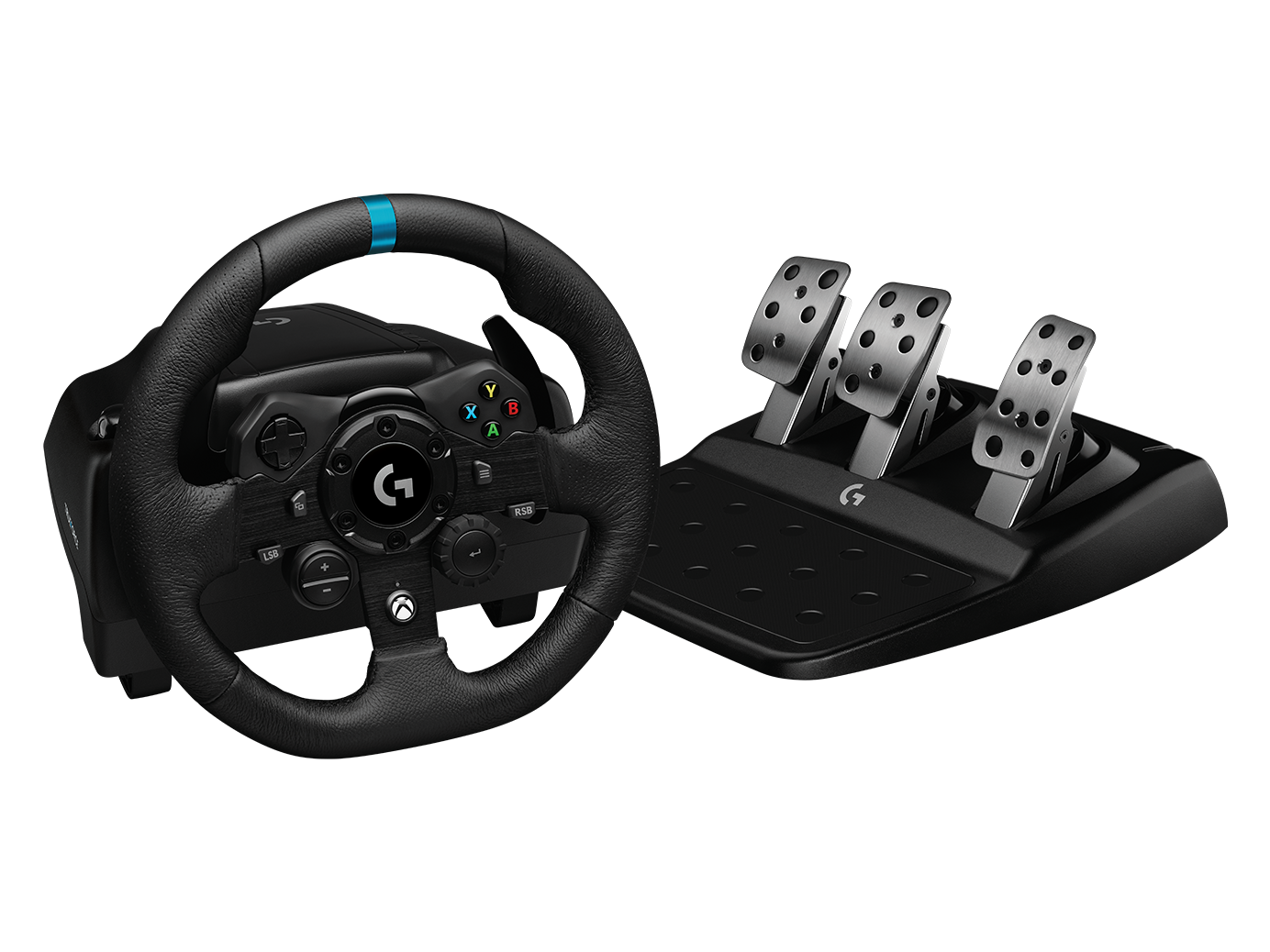
This wheel features Logitech’s “Trueforce” technology, which adds additional vibrations to enhance engine feel and road texture. Some racers will love it; others might find it distracting.
The build quality is solid with:
- Nice leather wheel
- LED shift lights (on both PS and Xbox versions)
- Three-pedal set with improved brake feel
At its regular price, it’s hard to justify over cheaper options unless you find it on sale.
4. Logitech G920 (Xbox – $230)
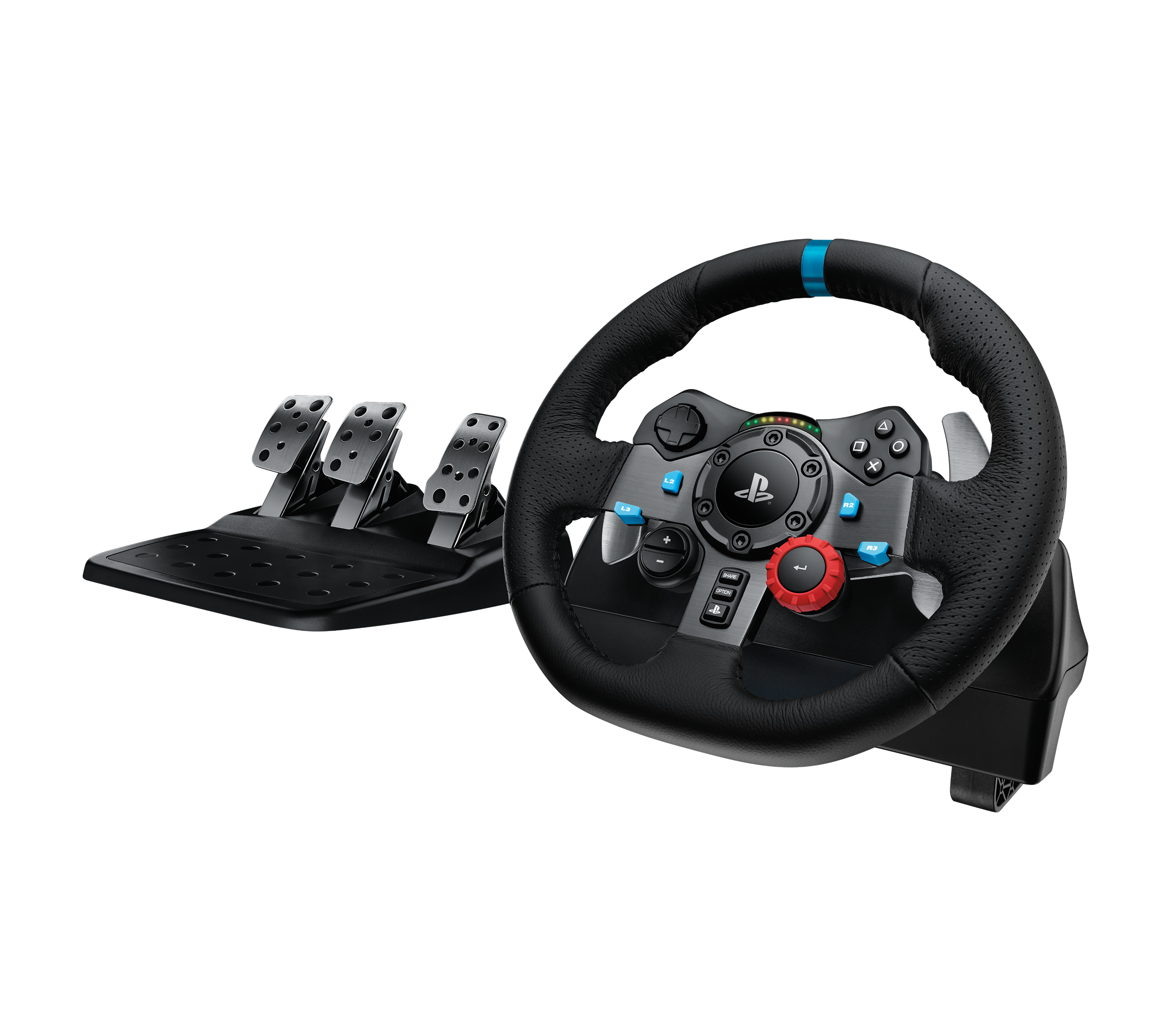
This is basically the Xbox version of the G29, but it lacks some buttons and the shift lights. It’s solid but lacks features its PlayStation cousin offers at the same price. But still, it is great for Xbox racers on a budget!
3. Moza R3 Bundle (PC only – $299)
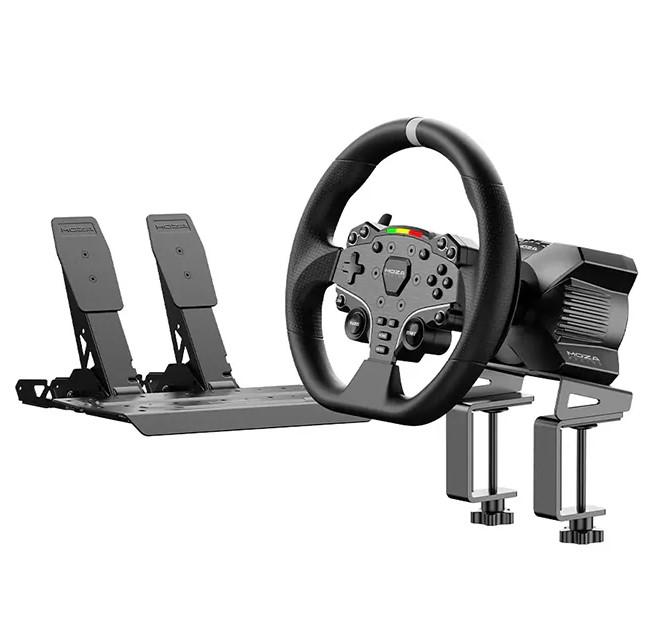
The only direct drive wheel on our list! Direct drive provides better, more detailed force feedback without gears or belts. At 3.9Nm, it delivers:
- Smoother, more detailed feedback
- Premium materials, including aluminum and microfiber
- LED shift lights
- Lots of buttons
The pedals are just okay, but can be upgraded later. For PC racers, this is an amazing value.
2. Thrustmaster T128 ($200)
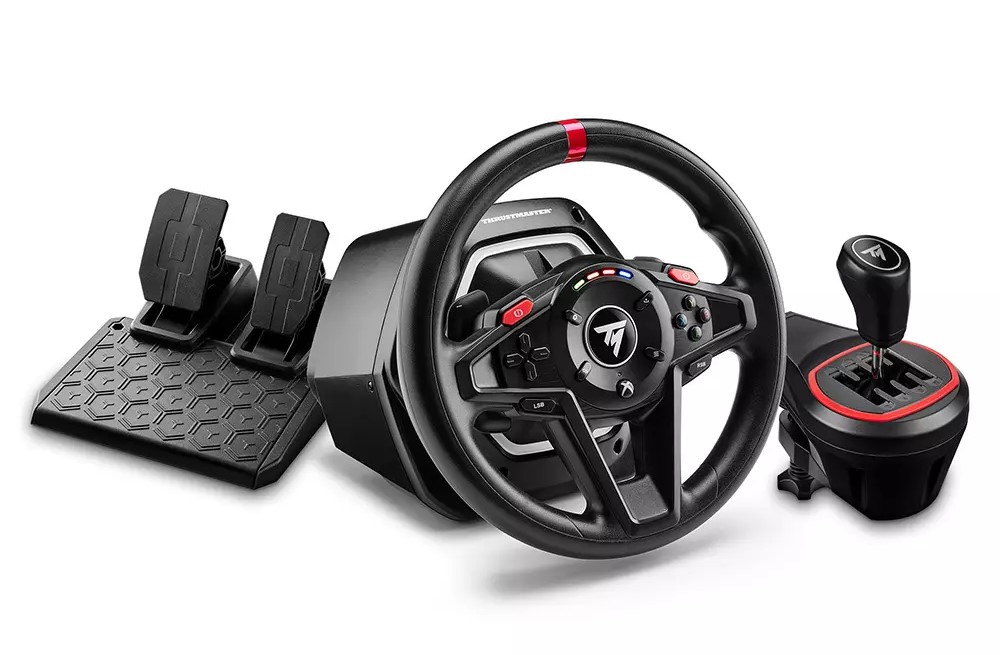
A true budget champion available for both PlayStation and Xbox:
- Hybrid force feedback that feels better than expected
- Magnetic shifters
- 13 buttons and small LED lights
- Two-pedal set
Yes, there’s a lot of hard plastic, and the pedals are not great, but at this price? It’s a steal!
1. Logitech G29 (PlayStation – $230)
Despite being nearly a decade old, this remains the king of budget wheels:
- Leather wheel with nice stitching
- Steel paddle shifters
- LED shift lights
- Three-pedal set with metal faceplates
- Good button layout
- Strong 2.3Nm force feedback
The only real downsides are that the feedback can be a bit noisy and, in some cases, the pedals can get a little sticky with dust, but for PlayStation racers, it is the best value option.
These racing wheels are great for all types of racing games. Just pick one that suits your console and budget, and you will love it!
From Controller to Wheel: How Hardware Shapes Your Racing Experience
I am sure you must have jumped from a gamepad to a racing wheel and found yourself suddenly spinning out at every corner? And if the answer is a “Yes” then you’re not alone! The debate about controllers versus sim racing hardware is as old as racing games themselves. And in this article, we will settle this once and for all.
The Great Hardware Debate

Controllers are great for many types of games. They are easy to hold, work with everything, including shooters and fantasy RPGs, and are not bulky. However, there are some obvious limitations to racing.
Exactly how much control do you actually have? Your thumb moves a tiny stick. That moves less than an inch. Your finger presses a trigger a little less than half an inch. Not much to work with.
A racing wheel is different. They have 900+ degrees of rotation, and the pedals can do way more than just a half an inch. There is so much more control, and you can do all kinds of adjustments that are impossible with a controller.
What Really Happens When You Switch

As much as racing gear ads want to encourage you to buy racing wheels, telling you a wheel will instantly make you faster, it simply is not true. In fact, some players get slower at first.
Most experts say that a wheel does not make you faster, but it creates the right conditions for you to become faster. So you need to be prepared for that. In some cases, it can even take months for you to get used to the wheel.
This is a big enough learning curve that some players don’t fully switch to a racing wheel. They try a wheel, crash more than with a controller, and decide wheels are worse. But it’s not the full picture.
Where The Magic Happens

The real benefits of wheel setups come from three main areas:
First, smoothness. Racing wheels let you apply steering inputs more gently. The smoother you are, the less unsettled the car becomes, allowing for higher cornering speeds.
Second, feel the road through your hands. When your car starts to lose grip, you’ll feel it through the wheel. Controllers can vibrate, but it’s not the same as force feedback telling you what’s going on.
Third is the pedal control. Many racers say this is even more important than the wheel itself. Good pedals let you brake with incredible precision.
Some experts also claimed they added a loadcell mod to their pedals. It lets them run without ABS. Better braking equals faster lap times.
Who’s Right For Which Setup?
Let’s be honest. Some really good gamers know how to work the controllers. It’s never the tools you use that make the difference; it’s always how you use them.
But for most people, there are clear patterns:
Controllers work best if you:
- Have limited space or budget
- Play casually or mix racing with other games
- Have years of muscle memory with thumbsticks
Wheels make more sense if you:
- Want the most immersive experience
- Plan to play lots of racing games
- Enjoy the physical feeling of driving
- Want to build transferable skills
Some experts have tested both and found that, on a controller, he was only half a second slower than on his wheel setup on a two-minute lap. As you can see here, there is not much difference between the two. It’s just how you use them.
The Bottom Line
There is no magic to racing hardware. It’s a tool. And like any tool, it requires practice to master. However, the potential is definitely greater than with a controller. Your inputs can be more critical, you receive more feedback, and the experience is closer to actual driving.
The best advice is to get the best steering wheel and pedals you can buy if you’re serious about racing games. Just don’t expect to be faster right away because you need time to get used to it.
And really, isn’t that what gaming is about? Gaming is all about finding the best possible way to play that brings you the most joy.